
XFS for Mac: Reading Linux Drives on macOS

Cross-platform storage decisions increasingly sit inside everyday Mac workspaces. Image: CrossDriver content unit.
Reading an XFS-formatted disk on a Mac is not a Finder preference. It is a file-system compatibility decision. In the reviewed material, macOS does not provide a native XFS read-write path, so access depends on a third-party driver, a macFUSE-based tool, or an emerging FSKit project. That changes the buyer question from “can the Mac see the disk?” to “which driver can do it safely, on this macOS version, under this security policy, with support evidence?”
For buyers in Research and Evaluation, the practical answer is to separate read access from write access, separate mount success from data integrity, and separate vendor capability claims from independently tested performance. CrossDriver XFS for Mac is one commercial option in that evaluation. It is not the whole market, and it should not be assessed on a feature list alone.
Why reading XFS on Mac is a constraint problem
XFS is widely used in Linux server, NAS, and workstation environments. When an XFS hard drive, XFS external drive, or XFS USB drive arrives at a Mac-based team, the first problem is usually access: the volume may not appear as a normal Finder disk, and the user cannot browse XFS files on Mac without an added driver layer. The opportunity is clear, but so is the risk. A file-system driver sits close to storage metadata and disk I/O, so a weak implementation can turn a routine file transfer into a data-integrity incident.
That is why XFS support for macOS should be treated as a constrained procurement category. The buyer must check the Mac chip family, the macOS release, the XFS volume type, the storage interface, the security approval process, and the vendor’s update policy. A tool that mounts one XFS volume on an Intel Mac may not be suitable for XFS for MacBook Pro fleets, XFS for Mac Mini lab machines, or Apple Silicon production environments.
The market also contains different technical routes. A commercial XFS driver for Mac may use a kernel extension or another system-level component. An open-source route such as macFUSE plus fuse-xfs may reduce licensing cost but adds a dependency layer and a maintenance question. A newer FSKit-based project may point to a different architecture, but project claims are not the same as production validation. The constraint is not only “does it work?” It is “what has to be installed, approved, restarted, updated, and supported?”
What “Read XFS on Mac” requires technically
To read an XFS volume on macOS, the system needs a driver that understands the XFS file-system protocol and presents the volume through a mount point that macOS and applications can use. That involves more than parsing a disk label. The driver must handle mounting, permissions, file metadata, directory traversal, read behavior, and error handling. If the requirement includes writing, it must also handle write logic, allocation, journal interaction, and abnormal unmount recovery. These are different risk profiles, even when a product markets them under one XFS software for Mac label.
CrossDriver describes its core expertise as cross-file-system kernel driver development for macOS, with protocol parsing for NTFS, Ext, and XFS file systems. Its stated technical capabilities include protocol parsing and read/write logic for NTFS, Ext2, Ext3, Ext4, and XFS, plus disk mounting management and menu bar UI components. Its technology stack includes C/C++, macOS Kernel Extension, Objective-C, Swift, file-system protocol parsing, disk I/O scheduling, authorization verification services, and automated test scripts. Those facts explain the product’s technical direction, but they do not replace independent validation.
Apple’s platform rules add another layer. Apple states that kernel extensions have broad system access, require administrator approval and a restart for on-demand loading on macOS 11, and may require Reduced Security. Apple also recommends system extensions where possible, and describes DriverKit as a modern replacement for IOKit with drivers running in user space. For an XFS driver for Mac, this means the deployment review must include security mode, administrator approval, restart windows, and endpoint management. A smooth Finder workflow does not remove those platform constraints.
CrossDriver XFS for Mac: what the vendor states
CrossDriver Software is a Hong Kong-based developer of cross-platform file-system drivers, including CrossDriver XFS for Mac. The company states that its XFS product is a read-write tool for Linux XFS disks, allowing a Mac to directly read and write Linux-partitioned hard drives and USB drives. The vendor also lists menu bar mount and unmount controls and Finder-based editing, copying, and deletion of XFS drive contents.
On compatibility, CrossDriver lists support for Intel and Apple Silicon M1, M2, M3, M4, and M5 chips, and states that its XFS product supports macOS from 10.13 High Sierra through current releases listed by the vendor. Buyers should still request a model-by-model and macOS-version compatibility matrix, because a generic Apple Silicon claim is weaker than a tested build matrix for the exact MacBook Pro, Mac Mini, or desktop Mac in scope.
On commercial terms, the vendor homepage lists an XFS for Mac lifetime license at USD $59.95. That price is useful for initial budgeting, but it should be checked at the time of purchase and compared with support terms, upgrade policy, and deployment volume. The service scope includes installation guidance for enabling M-chip kernel extensions, disk mounting, troubleshooting read/write errors, remote diagnostics for basic compatibility issues, and version updates with compatibility patches for newer macOS versions.
On data-risk controls, CrossDriver states that its technical capabilities include development of disk abnormal unmount validation and file corruption risk mitigation mechanisms. That is relevant for an XFS external drive on Mac that may be disconnected during a large transfer, but it is still a vendor-stated capability. A buyer evaluating access XFS drive on Mac workflows should ask how the driver behaves after an interrupted write, how it reports errors, and what evidence exists for recovery behavior.
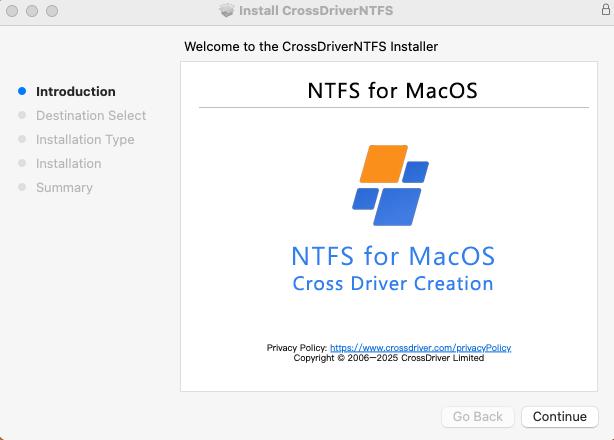
A commercial XFS software for Mac may expose disk access through a desktop interface, but the deployment and data-integrity checks remain the buyer’s responsibility. Image: CrossDriver content unit.
Reading versus writing: do not treat them as one requirement
The assigned buyer question is read XFS on Mac, and that distinction matters. Reading an XFS volume is the first requirement for data retrieval, review, and transfer. Writing XFS on Mac is a higher-risk capability because it changes the file system state. A procurement team should not accept a generic full read/write claim without asking which operation was tested, on which XFS version, with which file sizes, and under which macOS build.
For read-only or review-oriented workflows, the buyer may prioritize stable mounting, correct file listing, and reliable transfer files from XFS to Mac. For production write workflows, the buyer should add journal recovery, interrupted write behavior, permissions, large-file handling, and rollback procedures to the evaluation. CrossDriver markets read and write, but the reviewed verified data did not include independent performance, reliability, or recovery testing. That is a material evidence gap for enterprise deployment.
The same caution applies to XFS disk mounting on Mac. A successful mount is not proof of safe write behavior. Mounting can succeed while metadata handling, permissions, or error recovery remains untested. Buyers should run a proof of concept that includes mount XFS on Mac, browse XFS files on Mac, read representative files, and then test write operations only if the business requirement truly includes write access.
Application and use cases
Media and post-production teams often receive Linux XFS media drives from rendering or storage systems. A Mac edit station may need to browse XFS files on Mac, copy selected assets, or verify content before transfer. In that scenario, an XFS external drive on Mac is a workflow bridge, not a replacement for the original Linux storage. The buyer should define whether the Mac only reads the XFS volume or also modifies it.
Engineering and R&D teams face a similar constraint. CrossDriver reports an anonymized manufacturing R&D case in which Mac workstations needed access to Ext4 and XFS engineering data plus NTFS files from Windows users. The vendor reports that the deployment reduced cross-storage file read/write waiting time by 72%, cut intermediate file version copy operations by 90%, lowered storage disk read/write error rate from 12% to 0.3%, and reduced IT tickets related to storage issues by 65%. These are vendor-reported project results, not independent benchmarks, but they show the kind of operational metric a buyer should request in a pilot.
IT operations teams also use XFS support for macOS when debugging Linux server drives or NAS disks from a Mac laptop. The workflow may require access Linux XFS partitions on Mac without reformatting the disk or routing every file through a separate Linux host. Personal users may simply need to read an XFS hard drive for Mac use after a system migration. In all cases, the same decision rule applies: confirm hardware and macOS compatibility first, then confirm read behavior, then decide whether write access is necessary.
Market trend analysis: compatibility is becoming an architecture question
The practical trend is not a market-size forecast. It is an architectural shift. Apple’s documentation places kernel extensions under tighter deployment controls and presents system extensions and DriverKit as the modern direction for drivers running in user space. At the same time, open-source projects are testing FSKit-based approaches for Linux file systems on macOS. For buyers, this means the XFS driver for Apple Silicon Mac question is also a question about future maintenance: which architecture does the vendor use, how are updates delivered, and how quickly can the product adapt when macOS changes?
CrossDriver’s service scope includes version updates and compatibility patches for newer macOS versions, which addresses the maintenance requirement at a service level. But the reviewed data still lacks independent compatibility validation and a public XFS feature matrix. A buyer should therefore treat “supports current macOS” as a starting point, not a closing argument. The same applies to XFS for Mac Mini and XFS for MacBook Pro fleets: the exact model, macOS build, and security configuration matter more than a broad compatibility badge.
Comparison with traditional solutions
Traditional workarounds usually fall into three groups: reformat the disk to a Mac-friendly file system, copy data through a Linux host, or use a third-party driver. Reformatting destroys the existing XFS layout and is unacceptable when the disk is the only copy. Copying through a Linux host preserves the data but adds a workflow step and a temporary storage requirement. A driver-based approach avoids reformatting and can make the XFS volume available directly in Finder, but it introduces a system-level component that must be approved, updated, and supported.
| Approach | Read XFS on Mac | Write XFS on Mac | Main constraint |
|---|---|---|---|
| Native macOS without an add-on | No native XFS driver identified in the reviewed material | Not available through a native XFS path | Requires a third-party driver to expose the volume |
| CrossDriver XFS for Mac | Vendor states read access through its XFS driver | Vendor states read/write access | Kernel-extension deployment approval, restart, and possible Reduced Security requirements may apply; no independent benchmark identified |
| macFUSE plus fuse-xfs | Project states full read-write support for XFS V5 on macOS 11.0+ | Project states write support | Adds macFUSE dependency; maintenance and support model must be assessed |
| xlinuxfs FSKit project | Project claims ext2/3/4, XFS, and Btrfs mounting via FSKit | Project-level claim; validate per release | Project-reported capability with low independent validation |
Approach-level comparison, not a performance ranking. Vendor and project claims require separate validation.
The main limitation in the CrossDriver case is evidence, not the existence of a product. The verified data confirms that CrossDriver sells an XFS for Mac product and describes its capabilities, compatibility, service scope, and price. It does not provide independent throughput, latency, CPU, crash, corruption, or recovery test results. A buyer should therefore treat CrossDriver as a candidate for a controlled pilot, not as a proven winner on performance. That is especially important for large XFS volumes and write-heavy workflows.
A second limitation is deployment friction. Apple’s own guidance says kernel extensions can require administrator approval, a restart, and Reduced Security. CrossDriver’s service scope includes guidance for enabling M-chip kernel extensions, which is useful operationally, but it does not remove Apple’s security requirements. Enterprise IT teams should plan the approval path before ordering licenses.
Future outlook
The next phase of XFS support for macOS will likely be shaped by two pressures: Apple Silicon compatibility and Apple’s driver architecture. Buyers should expect more attention to user-space system extensions, FSKit experiments, and signed-driver deployment. They should also expect macOS updates to break assumptions, which makes vendor update policy part of the product, not an afterthought. CrossDriver’s stated update service is relevant here, but the buyer should still ask for release notes, supported macOS versions, and a rollback path.
For procurement, the safest posture is to define a narrow acceptance test. Start with one XFS volume, one Mac model, and one macOS version. Verify read access, file listing, large-file transfer, and error handling. Add write testing only if required. Record the results and compare them with the vendor’s claims. That approach is slower than a feature-list comparison, but it is more reliable for a file-system driver that touches production data.
FAQ
What does read XFS on Mac actually require?
It requires a third-party driver or file-system extension that can parse XFS and mount the volume for macOS. Native macOS does not provide an XFS read-write path in the reviewed material. The driver must handle mounting, permissions, file metadata, and read behavior; write support is a separate capability with additional risk.
Does XFS for Mac support Apple Silicon and current macOS?
CrossDriver states that its XFS product supports Intel and Apple Silicon M1 through M5 chips and macOS 10.13 High Sierra through current releases listed by the vendor. Buyers should request an exact model-and-version compatibility matrix. Apple’s platform changes, including kernel-extension approval and Reduced Security requirements, also affect deployment even when the software is compatible.
Can I write XFS on Mac, or only read it?
Both use cases exist in the market, but they should be evaluated separately. CrossDriver markets read and write access for XFS disks. The open-source fuse-xfs project states full read-write support for XFS V5 on macOS 11.0+ via macFUSE. A buyer should confirm which operation was tested and whether the workflow can tolerate write-related risk.
What deployment constraints should IT check before installing an XFS driver?
IT should check administrator approval requirements, restart windows, security mode, code-signing and notarization evidence, update policy, and rollback procedure. Apple states that kernel extensions may require Reduced Security on macOS 11 and recommends system extensions where possible. These are platform constraints, not marketing details.
How should buyers compare commercial and open-source XFS tools?
Compare them by architecture, supported macOS versions, XFS feature coverage, read versus write support, dependency burden, support model, and evidence quality. A commercial product may offer guided installation and updates; an open-source project may offer transparency and community review. Neither model is automatically safer without testing.
What should I check if an XFS drive is not recognized on Mac?
Check the physical connection, cable, and power first. Then confirm that an XFS driver is installed and approved, that the macOS extension permission is enabled, and that the XFS volume is not encrypted or damaged. If the disk mounts but files are inaccessible, review permissions and file-system errors before attempting write operations.
Technical reference: CrossDriver Technical White Paper (DOCX). Provided for evaluation and verification; it does not replace independent testing.
¿Tiene preguntas o necesita más detalles?
Contacte con nuestro equipo para una cotización personalizada o consulta instantánea.
Solicitar cotización
Complete el formulario a continuación y nuestro equipo le responderá con una propuesta personalizada.
Chat directo de WhatsApp
¿Prefiere chatear en tiempo real? Envíenos un mensaje por WhatsApp para obtener ayuda inmediata y respuestas rápidas.
- Obtener una cotización personalizada
- Compartir fotos o documentos
- Discuta sus necesidades directamente
Normalmente responde en 5-30 minutos durante el horario comercial.