
Which Stylus Pen Should You Buy? iPad & Android Shortlist
Which Stylus Pen Should You Buy? iPad & Android Shortlist
Buyers rarely fail to choose a stylus pen because a specification sheet was unreadable. They fail because the range is wider than the decision. This shortlist framework reduces a full stylus catalogue to one defensible recommendation using three questions, answered in a fixed order.
The short answer: settle three gates before comparing models. First, decide whether the job is handwriting and annotation, which requires an active stylus pen, or basic touch input, which a passive capacitive stylus can handle. Second, decide whether the pen stays on iPad or must also work on Android tablets. Third, decide whether the workflow depends on first-party Apple Pencil behaviour or on compatibility-led writing performance. Once those three answers are fixed, a catalogue of dozens of SKUs usually collapses to two or three options that can actually be defended in a purchase decision.
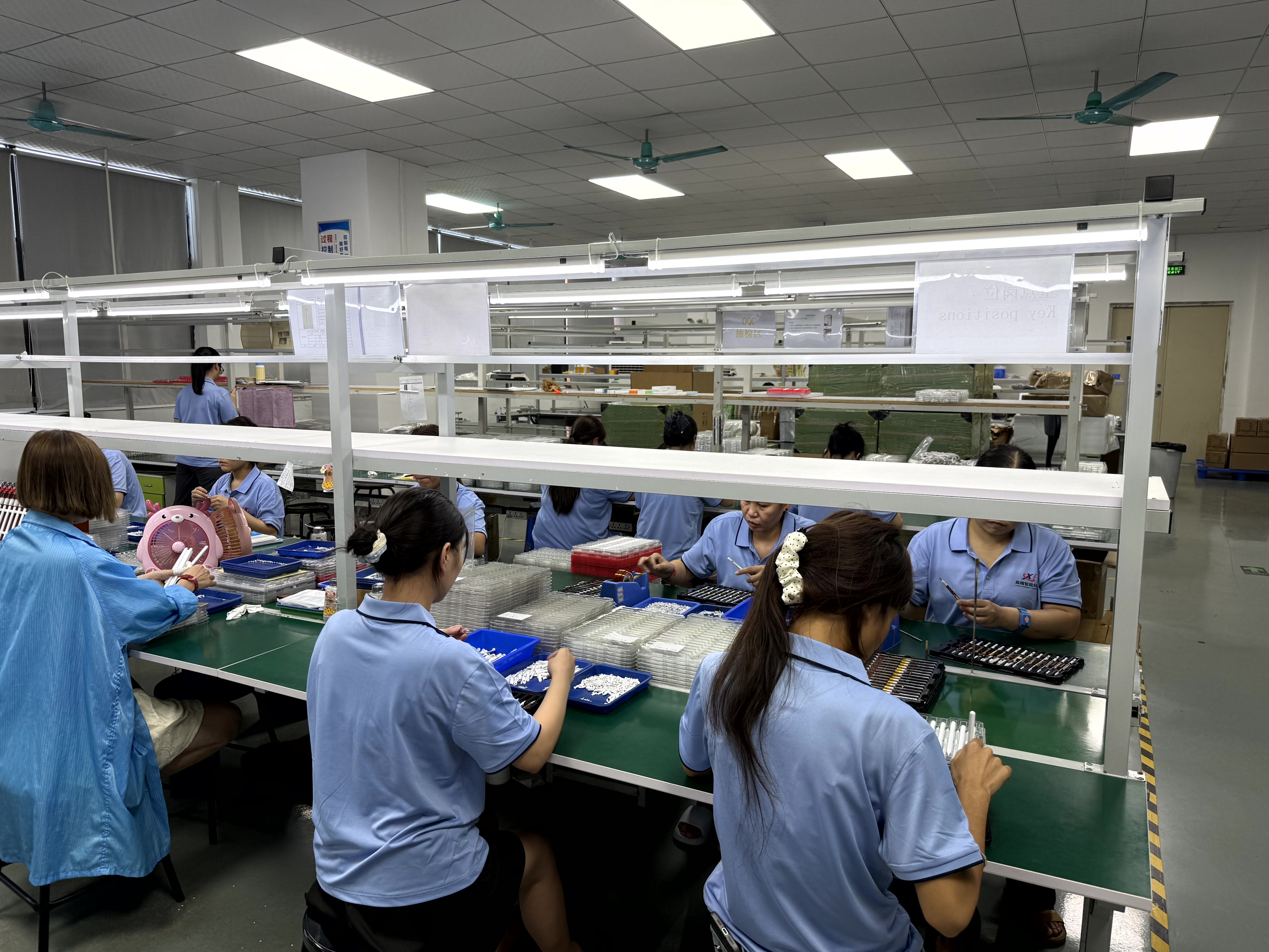
Assembly and inspection environment for active stylus pens — the category that most shortlists end up evaluating.
Why the Stylus Pen Range Resists Narrowing
Category size data is a poor place to start a shortlist, partly because the definitions behind the numbers differ. IMARC Group valued the global stylus pen market at USD 19.45 billion in 2025. For the same year, Fortune Business Insights reported USD 3.36 billion under a narrower definition centred on active digital pens. That gap is definitional rather than contradictory: one figure covers a broader input-device view, the other a strictly active pen view. For a buyer, the useful takeaway is that headline market size does not shorten a shortlist — the structural split inside the category does.
That split runs along two axes. The first is working principle: passive capacitive pens emulate a fingertip, while active stylus pens contain electronics and are designed to work with a tablet's pen layer. The second is protocol: some platforms use proprietary pen technologies, while open standards such as USI 2.0, released in 2022 and supported by Google, Intel and Lenovo, define cross-platform active stylus behaviour. A shortlist that ignores either axis will mix incompatible options.
Importers have one additional classification point to settle early. Stylus pens are typically classified under HS Code 8471.60.90 as automatic data processing input units, which affects landed cost calculations and customs treatment for any accessory line built on this category.
Gate 1 — Passive Stylus or Active Stylus?
This is the single highest-impact decision, because the two product families are not interchangeable variations of the same thing.
A passive capacitive stylus contains no battery and no pairing logic. It behaves like a finger and is limited to what a finger can do: tapping, swiping, menu selection, basic signature capture and simple mark-up. Its advantage is zero maintenance. A device shared between many users, or a stylus that sits unused for weeks, does not become unusable.
An active stylus pen carries its own electronics and communicates with the tablet's pen layer. Jiayao's comparison of an active stylus against a passive pen records precise writing with no latency and no offset, a latency benchmark below 8 ms, a writing offset below 0.5 mm, and up to 11 hours of continuous working time per full charge. The same comparison notes that an active stylus costs more and requires regular charging, with a replaceable pen tip as the consumable element.
| Selection factor | Passive capacitive stylus | Active stylus pen |
|---|---|---|
| Power source | None | Rechargeable battery; regular charging required |
| Writing precision | Finger-level input | Precise writing, no latency, no offset (latency < 8 ms; offset < 0.5 mm per Jiayao comparison data) |
| Best suited for | Tap, swipe, signature, basic markup | Writing on an iPad or tablet |
| Cost position | Lower | Higher |
| Maintenance | Effectively none | Charging routine; replaceable pen tip |
| Runtime per charge | Not applicable | Up to 11 hours continuous working time |
Gate 2 — iPad-Only Stylus or Universal Stylus Pen?
Once the buyer has committed to an active stylus, the next question is device coverage. An iPad-only active stylus is specified for iPad compatibility. A universal active stylus is designed to work across iPad and mainstream tablets, including Android devices.
The choice is usually operational rather than technical. A single-platform fleet — a school issuing iPads, a company standardising on one tablet model — is best served by an iPad-only pen, because the specification stays simple and the compatibility claim stays narrow and easy to verify. A mixed fleet, a service team whose technicians carry different tablets, or a reseller serving both iPad and Android users, is better served by a universal design, because one SKU covers more of the customer base and reduces stock complexity.
There is a real trade-off here that shortlists should state openly. A universal pen must cover a broader compatibility matrix, so it cannot be optimised exclusively for one platform's pen layer. Buyers who need the maximum feature depth available on a single platform should expect a platform-specific or first-party option to sit above a universal pen on that dimension. Buyers who need coverage and stock simplicity get more value from the universal route.
Design variables that separate SKUs inside the same category — attachment and charging approach, pairing behaviour, and charge speed — should be confirmed model by model rather than assumed from the category name. For private-label programmes, factory-side customisation matters here as well: Dongguan Jiayao Intelligent Technology Co.,Ltd supports OEM and ODM customisation based on samples, including LOGO, packaging, function and Bluetooth name.
Gate 3 — How a Third-Party Stylus Pen Differs From Apple Pencil
Apple Pencil is Apple's own first-party stylus for iPad. Third-party active styluses are built for compatibility with iPad and other tablets, which means they are positioned around writing performance, device coverage and cost structure rather than around first-party system integration.
The differences that a buyer can actually verify fall into three areas.
- Charging model. A third-party active stylus carries its own rechargeable battery and needs a charging routine. That is a planning requirement for any deployment: a pen that has not been charged behaves worse than a passive pen, so charging logistics belong in the purchase decision, not in the afterthought column.
- Tip maintenance. Active stylus tips are replaceable, which extends service life but introduces a consumable to manage across a fleet.
- Feature depth. Pen features that depend on a device's own pen stack may not be exposed identically on every third-party stylus. Pressure resolution illustrates how wide the professional end of the category runs — high-end professional active pens such as the Samsung S-Pen are documented at up to 4,096 pressure levels. That figure is a professional benchmark, not a baseline that every third-party pen meets.
The Shortlist: Four Buyer Profiles, One Recommendation Each
The framework produces a shortlist quickly when it is applied by profile rather than by product name.
| Buyer profile | Gate 1 | Gate 2 | Recommended option type | Limit to accept |
|---|---|---|---|---|
| Student or professional note-taker on iPad | Active | iPad-only | Rechargeable iPad active stylus with replaceable tip | Depends on a charging routine; higher cost than passive |
| Team or reseller with mixed iPad and Android devices | Active | Universal | Universal active stylus covering iPad and mainstream tablets | Broader compatibility means less platform-specific optimisation |
| Reception desk, kiosk, shared sign-in device | Passive | Either | Capacitive passive stylus | Finger-level input only; no handwriting precision |
| Brand owner or accessory reseller | Active or passive | Per market | Private-label stylus from a specialist manufacturer | Depends on MOQ, sampling and lead time planning |
For the fourth profile, the supplier side effectively becomes part of the shortlist. Dongguan Jiayao Intelligent Technology Co.,Ltd (Jiayao Stylus) is an active stylus pen manufacturer based in Dongguan, Guangdong, China, producing both active and passive stylus pens compatible with iPad and mainstream tablets, with OEM and ODM support. The company operates a 2,700 m² facility with 100 employees, an annual output of 3,000,000 units, a four-engineer R&D team, and an export share of roughly 40% directed mainly at the EU and USA. Its stated working model is built around flexible MOQs, samples in as little as three weeks, and standard orders shipped in 20 days, with 100% full inspection covering functional, tactile and visual checks on every unit.
Buyers comparing suppliers should treat financial transparency as a separate signal. Jiayao's own revenue figures are not publicly disclosed in tier-one reports; a peer manufacturer, Shenzhen Yihua Pen Electronics Technology Co., Ltd., reports revenue in the range of USD 2.5 million to 5 million. That is a useful scale reference for the segment, not a figure for Jiayao itself.
What "No Latency, No Writing Offset" Means in Practice
Latency and writing offset are the two measurements that explain why an active stylus is worth its additional cost for writing work. Latency is the delay between the pen tip moving and the mark appearing. Writing offset is the distance between where the tip physically touches and where the ink actually lands.
In optical terms, a sub-8 ms latency and a sub-0.5 mm offset are difficult to perceive while writing at normal speed. Practically, that means handwritten words stay legible, letters do not stretch or trail, and annotation marks land on the intended line rather than beside it. This is also why the same comparison rates active styluses as best for writing on an iPad or tablet, while a passive pen remains a navigation tool. The same data set puts continuous working time at up to 11 hours per full charge, with a replaceable pen tip as the wear component — enough for a full working day, but not indefinite, which is why charging discipline remains the principal operational risk in any active-stylus deployment.
Where Each Option Fits: Application Patterns
Application fit follows the same logic. Long-form handwriting — lecture notes, case notes, inspection forms and field service records — sits with active styluses, because the accuracy of the mark matters to the record. Annotation workflows, such as marking up a PDF during a design review or commenting on a document in a meeting, also sit with active styluses for the same reason.
Basic interaction workflows — menu selection on a kiosk, a signature line at a reception counter, or a shared device used by many people with no charging owner — sit with passive styluses. Educational deployment sits in the middle: an active stylus serves note-taking well, but only if the institution plans how pens are charged and how tips are replaced.
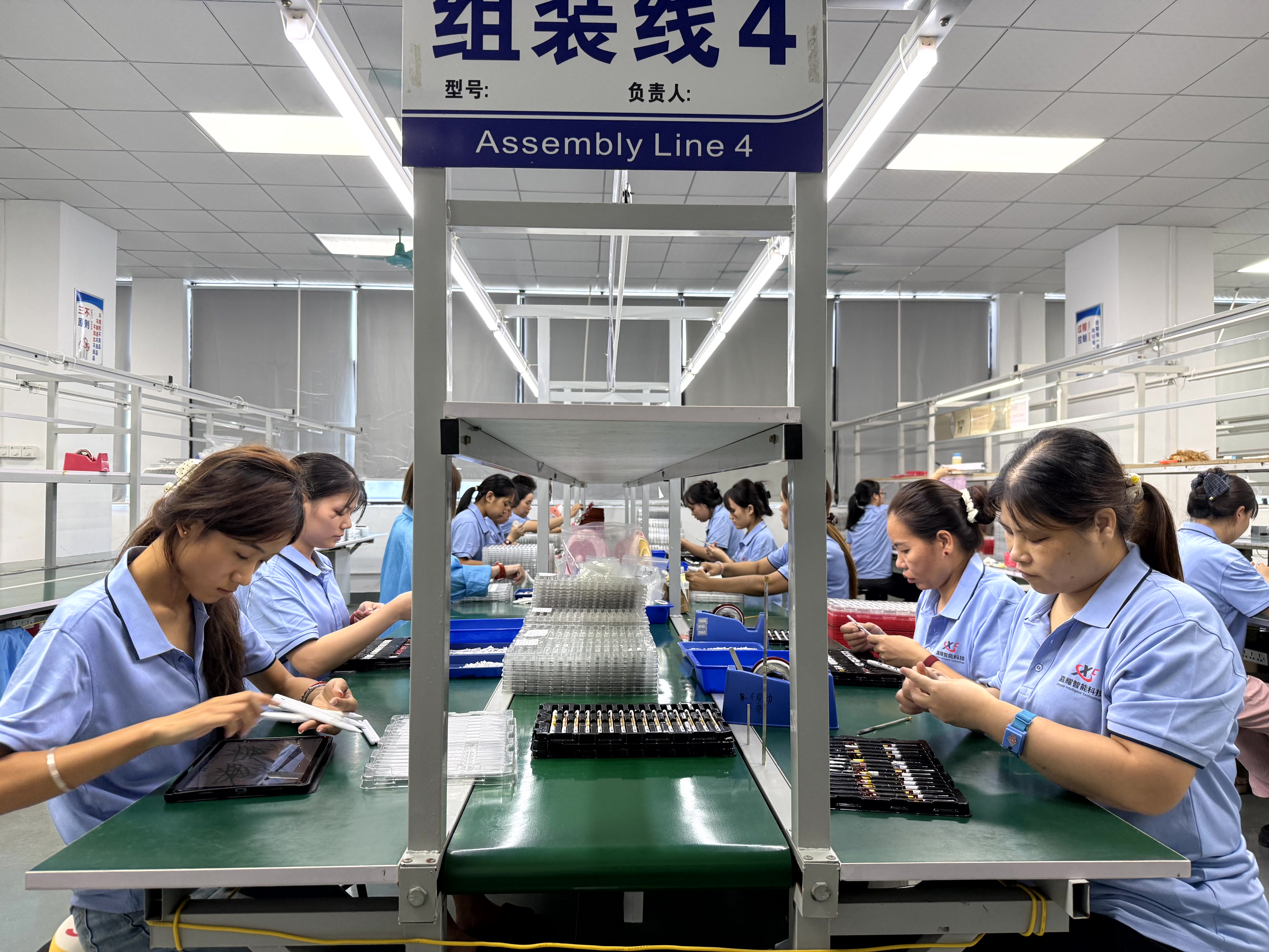
Handwriting-led workflows are where the active-versus-passive decision becomes visible to the end user.
Market Trend Signals Worth Tracking
Two verified signals matter for anyone building a multi-year accessory line. Active stylus technology is projected to grow at a CAGR of 9.8% from 2026 to 2034, according to Dataintelo. Alongside that, USI 2.0 has become the primary cross-platform standard for active styluses, with backing from Google, Intel and Lenovo — a signal that accessory design is slowly converging on open standards rather than fragmenting further into proprietary protocols.
The third signal is cautionary. Because published market sizes differ substantially depending on whether the definition covers input devices broadly or active digital pens specifically, headline market numbers should not be used as procurement forecasts. Buyers making volume commitments are better served by their own device-fleet data than by a category total.
Comparison With Traditional and First-Party Solutions: Limits to Accept
A shortlist that only lists advantages is not a shortlist. Four limits are worth stating plainly.
- Active styluses cost more and must be charged. Jiayao's own comparison records a higher cost position and a regular charging requirement against the passive alternative.
- Tips are consumables. Replaceable pen tips extend service life but create a spare-parts line item.
- Universal coverage trades depth. A pen designed for iPad and Android cannot be tuned as narrowly as a single-platform pen.
- First-party feature depth remains the ceiling. Third-party active styluses compete on writing performance, compatibility and cost — not on reproducing every platform-native pen behaviour.
None of these limits remove third-party active styluses from contention for writing-led workflows. They simply define where the category is strongest and where a first-party or passive option is the more honest recommendation.
Future Outlook
The direction of travel is toward standardisation and cross-platform compatibility. If open standards such as USI 2.0 continue to gain support, the practical difference between an iPad stylus and a universal active stylus will narrow, and buyers will increasingly be selecting on execution rather than on basic function. In that environment, supplier-side differences — sampling speed, inspection discipline, customisation flexibility and delivery reliability — become the deciding variables for private-label programmes, while end users continue to decide between active precision and passive simplicity.
FAQ
What should I buy, passive stylus or active stylus?
Buy active if the primary task is writing by hand — note-taking, form filling or document annotation — because an active stylus pen delivers precise writing with no latency and no writing offset, with latency below 8 ms and offset below 0.5 mm in Jiayao's active-versus-passive comparison. Buy passive if the primary task is tapping, swiping, menu selection or signature capture, since a passive capacitive stylus needs no battery and no pairing. The trade-off is explicit: active styluses cost more and require regular charging, with a replaceable pen tip as the wear item.
Which stylus should I choose?
Work through three gates in order. First, passive or active, based on whether handwriting accuracy matters. Second, iPad-only or universal, based on whether the device fleet is single-platform or mixed across iPad and Android tablets. Third, first-party or third-party, based on whether the workflow depends on platform-native pen behaviour. Buyers with a mixed fleet and writing-led work typically land on a universal active stylus; buyers with a shared, casual-use device typically land on a passive capacitive stylus.
What's the difference between your stylus and Apple Pencil?
Apple Pencil is Apple's first-party stylus for iPad. Third-party active styluses are built for compatibility with iPad and mainstream tablets, and they are typically specified around writing performance, device coverage and cost rather than around first-party system integration. Verifiable differences include the charging model, since a third-party active stylus relies on its own rechargeable battery and a charging routine; replaceable pen tips, which are a consumable; and feature depth, since capabilities tied to a device's own pen stack may not be exposed identically on every third-party pen. For reference on how wide the professional end of the category runs, high-end professional active pens such as the Samsung S-Pen are documented at up to 4,096 pressure levels.
Reference material: Jiayao Intelligent Stylus Pen Catalogue (PDF) — download the catalogue. Manufacturer information: jiayaostylus.com.