Procurement FAQ: RAM, Storage, and Android Versions in GZKEDRO Advertising Displays
Two advertising displays can share the same panel size, the same brightness figure and the same sealed cabinet, and still behave completely differently two years after installation. The difference is usually invisible on the first page of a spec sheet: how much RAM and storage the internal player carries, and which Android version it is running.
The global commercial display market was valued at USD 53.6 billion in 2024 and is projected to reach USD 60.3 billion in 2026, on the way to USD 78.5 billion by 2030, according to Grand View Research. A separate forecast from Fortune Business Insights values the market at USD 57.78 billion in 2025 and projects USD 107.79 billion by 2034 at a 7.30% CAGR. The two figures use different product scopes and should not be merged or treated as a consensus number. They do agree on direction: more screens, running heavier content, managed from further away.
This reference answers the technical questions procurement teams raise when comparing GZKEDRO advertising display hardware. The central comparison is between two configurations: the KD-WM series, specified with 4GB DDR3 RAM and 64GB eMMC storage, and the KD-EA Series, specified with 1GB DDR3 RAM and 8GB storage. The purpose is not to rank one above the other, but to show which configuration fits which software, content and management requirement.
Why RAM and storage are procurement decisions, not IT details
In an advertising display, RAM and storage set three operational limits: how many processes the player can run at the same time, how large a content library it can hold and play offline, and how much room remains for operating system updates and content management system (CMS) revisions over the life of the asset.
Those limits translate into four recognizable workload classes:
- Lean playback. A rotated image set, one video channel, a menu board updated monthly. Minimal concurrent processing and a small local library.
- Scheduled multi-zone playback. Split-screen layouts, dayparted playlists, data statistics reporting and playlists cached for offline resilience. Requires decoder, scheduler and reporting services running at once, plus a larger local library.
- Interactive content. Multi-touch, infrared sensing and gesture-driven interfaces, where the touch service, the user interface layer and the CMS client run simultaneously.
- AI-assisted content. AI gesture recognition and AI digital human presenters, which keep the video pipeline and an inference process active at the same time.
The procurement implication is about timing rather than technology. Memory and storage are fixed at the point of order; they cannot be unlocked later the way a software feature can be enabled. A screen specified for a single-image loop remains a single-image loop asset in year three, even if the content plan has moved on.
The two GZKEDRO advertising display configurations: KD-WM and KD-EA
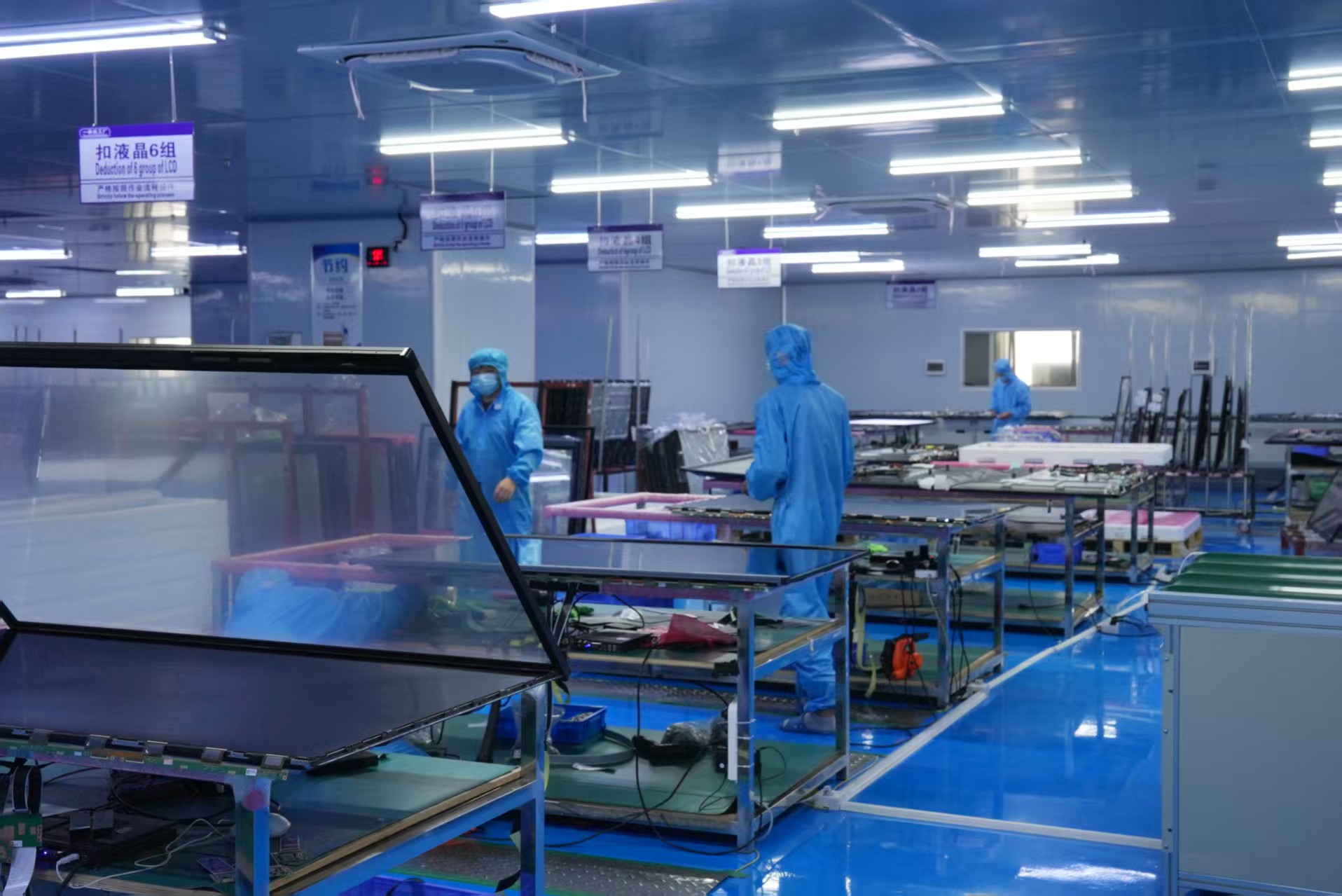
GZKEDRO — formally Guangzhou Kedro Electronics Technology Co., Ltd. — is a Guangzhou-based manufacturer of commercial display solutions and intelligent interactive devices, founded in 2013, with research and development centres in Guangzhou and Shenzhen. The company reports a 50,000 m³ manufacturing facility, more than 200 employees, a research and development team of over 100 people, and an export share of 80% of total sales.
Its lineup covers wall-mounted and vertical commercial displays, networked smart advertising machines that support split-screen playback, scheduled deployment and data statistics, and smart educational whiteboards. Devices use 4K display panels and support multi-touch, infrared sensing and AI gesture recognition, managed through a remote cloud control platform for deployment, monitoring and maintenance. Products are certified to CE, FCC, RoHS and ISO9001.
Within the advertising display range, the two configurations most often compared at the procurement stage differ mainly in memory and storage:
| Configuration item | KD-WM series | KD-EA Series |
|---|---|---|
| System memory | 4GB DDR3 RAM | 1GB DDR3 RAM |
| Onboard storage | 64GB eMMC | 8GB storage |
| Workload it fits | Scheduled multi-zone playback, larger locally cached libraries, interactive and AI-assisted content | Single-purpose looped signage: static image rotation, one or two video channels, content refreshed from the network |
| Update headroom | Larger margin for CMS client growth and operating system updates | Lean margin; suited to deployments where content is streamed rather than stored |
The distinction is one of workload class rather than product quality. Both configurations belong to the same portfolio and are managed by the same remote cloud platform. What changes is how much the display can process and hold locally. Final RAM and storage should be confirmed on the order datasheet.
The same logic becomes visible at the top of the range. The KD-DH Series Holographic Digital Human is specified with 4K resolution (3840 × 2160), 1,300 cd/m² brightness and a 3,000:1 physical contrast ratio. A digital human presenter is a sustained 4K render-and-inference workload; a wall-mounted promotional loop is not. That gap is exactly why separate memory and storage tiers exist in a commercial display catalogue.
Android versions: what to confirm in writing before the purchase order
Operating system version is the second half of the hardware question, and the half most often left implicit. GZKEDRO's documented control measures for system stability include a stable Android/Windows operating system with a watchdog recovery mechanism, together with software validation, OTA updates and remote technical support. Those measures describe how the platform is kept running. They do not remove the need to confirm which Android version a specific model ships with, because the build is determined at board level.
Android version should therefore be treated as an order-level specification rather than a portfolio-wide constant. The CMS application, the security posture and the update path all depend on it.
Questions to put in writing
- Which Android version ships with this exact model, and what is its API level? CMS applications declare a minimum supported API level, and a mismatch is normally discovered at commissioning rather than at quoting.
- Does the model support OTA updates, and for how long is that support expected to continue?
- What is the security patch level of the shipped build?
- What does the watchdog recovery mechanism do in practice — does a stalled player self-recover, or does it require a site visit?
- What is the usable application storage after the operating system and the CMS client are installed?
- Does the model run Android, Windows, or is the platform selectable per order?
An older Android build is not automatically a defect. A display on a slightly older version can be the right choice if the CMS application supports that API level, the supplier commits to security updates, and the deployment does not depend on newer platform features. The risk is not the version number by itself — it is discovering the constraint after the screens are mounted and the content contract is signed.
Certification and operating system are separate screens
Certification review and operating system review are often combined, which is a mistake. Marks such as CE, FCC, RoHS and ISO9001, and the UL 970 standard that UL Solutions describes as covering commercial displays, retail fixtures, showcases and temporary displays, address product safety, environmental and market-access requirements. Neither says anything about which Android version is installed or how long it will be supported, so both checks should be documented separately in the supplier file.
A buyer's decision framework: matching hardware tier to content requirement
The practical method is to work backwards from the content and software requirement rather than forwards from the price list.
| Content or software requirement | Hardware implication | Typical configuration |
|---|---|---|
| Static image rotation, one or two media channels, network-updated | Minimal concurrent processing, small local library | KD-EA Series — 1GB DDR3 RAM, 8GB storage |
| Scheduled multi-zone playback with split-screen and reporting | Concurrent decoder, scheduler and statistics services | KD-WM series — 4GB DDR3 RAM, 64GB eMMC |
| Offline resilience: full playlist cached on device | Local storage sized to the complete playlist plus OS and CMS overhead | KD-WM series — 4GB DDR3 RAM, 64GB eMMC |
| Interactive touch, infrared sensing, gesture interfaces | Touch service, UI layer and CMS client running together | Higher memory tier plus industrial-grade touch module |
| AI gesture recognition and AI digital human content | Sustained video pipeline plus inference process, 4K where specified | Highest tier in the portfolio, KD-DH Series class |
| Long-life remote fleet with OTA updates | Headroom for OS and CMS revision growth | KD-WM series — 4GB DDR3 RAM, 64GB eMMC |
Four sizing rules follow from that table:
- Size storage from the offline playlist first — the library that must play without a network connection.
- Size memory from the number of concurrent services second: decoder, scheduler, reporting, touch and inference each consume part of the budget.
- Keep update headroom third, because both the operating system and the CMS client grow over time.
- Confirm the Android version and API level against the CMS before the order is placed, not during commissioning.
Where each configuration belongs: application mapping
Environmental specification and compute specification are two separate decisions, and teams frequently merge them. Venue and mounting position determine brightness, ingress protection and thermal requirements. Content and management model determine the RAM and storage tier.
- Retail stores, malls and restaurants. Promotional walls, menu boards and single-message zones are lean workloads that the KD-EA tier covers. Multi-zone layouts with scheduled, dayparted content and reporting are multi-service workloads that fit the KD-WM tier.
- Conference rooms and education. Interactive collaboration, wireless sharing and multi-touch operation run several services at once, so the higher memory tier is the natural match.
- Outdoor advertising and smart city projects. These deployments add IP65 protection, anti-glare treatment and 1,500–3,500 nit brightness to the requirement set. The compute question does not disappear — scheduled outdoor playlists and remote management still run on the same internal player.
- Luxury retail and exhibitions. Transparent and holographic effects deliver a modern, futuristic display effect and premium brand value; they also raise the compute class, which is why they typically sit at the higher tier.
- Command centres and stage events. Video wall deployments prioritise large seamless presentation, centralised display management and 24/7 stable operation.
- AI retail and smart commercial spaces. AI digital human and AI smart display content belongs in the KD-DH class, where 4K resolution at 1,300 cd/m² is the specified baseline.
Market trend analysis: the growth sits in compute-heavy content
Segment forecasts explain why memory and storage are becoming procurement criteria rather than footnotes. The holographic display market is expected to reach USD 5.14 billion in 2026 and to grow at a 17.82% CAGR to USD 11.66 billion by 2031, according to SNS Insider. The interactive display market was estimated at USD 54.54 billion in 2025, projected at USD 59.83 billion in 2026 and USD 125.48 billion by 2034 at a 9.70% CAGR, according to Fortune Business Insights.
These are adjacent segments, not the same segment, and the figures must not be added together or averaged with one another or with the commercial display market totals above. Read separately, they show one consistent pattern: the fastest-growing categories — interactive displays, holographic displays and AI digital humans — are precisely the categories that consume more RAM, more storage and more sustained processing than a looping signage panel.
A second trend is less visible but directly relevant to buyers. Performance benchmarks for interactive latency and light transmittance are not standardised across vendors in this category. Where no common benchmark exists, configuration transparency becomes the usable substitute: a supplier who publishes RAM, storage and platform details can be compared, while a supplier who publishes only brightness and diagonal size cannot.
Commercial display versus traditional signage — and the limits of a specification upgrade
The case for networked commercial displays over traditional static signage rests on one operational difference: content can be changed without a site visit.
| Dimension | Traditional static signage | Networked commercial display |
|---|---|---|
| Content model | Printed or fixed artwork, replaced manually | Dynamic multimedia with real-time content updates |
| Management | Physical visit required for each change | Remote CMS management with 24/7 stable operation |
| Cost behaviour | Recurring printing and installation cost | Printing cost reduction reported in category comparisons, with longer-term advertising savings |
| Outdoor capability | Limited daylight visibility | 1,500–3,500 nits brightness with IP65 protection and anti-glare |
| Space use | Bulky fixtures | Ultra-thin structures associated with roughly 30% space optimisation |
Where a RAM and storage upgrade changes things, and where it does not:
- It changes content capability. Higher memory and storage raise the ceiling for multi-zone scheduling, offline caching, interactive services and AI-assisted content.
- It does not change the panel. Brightness, resolution, contrast and ingress protection are independent variables. A KD-EA configuration inside an IP65/IP66 sealed cabinet is the better outdoor choice than a KD-WM configuration in an indoor-only chassis, because cabinet and thermal design decide that outcome — not RAM.
- Nominal capacity is not usable capacity. The operating system and CMS client consume part of the total storage in both tiers.
- Over-specification carries a cost. A single-message loop does not need 64GB of onboard storage; budget redirected from storage to brightness, sealing or touch module quality can deliver more value on some projects.
- Android availability is board-dependent. Portfolio-wide assumptions about the operating system are not safe.
- Category performance figures are directional. Claims such as higher engagement, reduced printing cost and space optimisation originate from comparative category data rather than controlled measurement of specific deployments.
- Independent benchmarks are limited. No independent benchmark data is published for these specific boards, so sample validation plus the documented pre-shipment test regime is the practical evidence route.
What pre-shipment testing actually covers
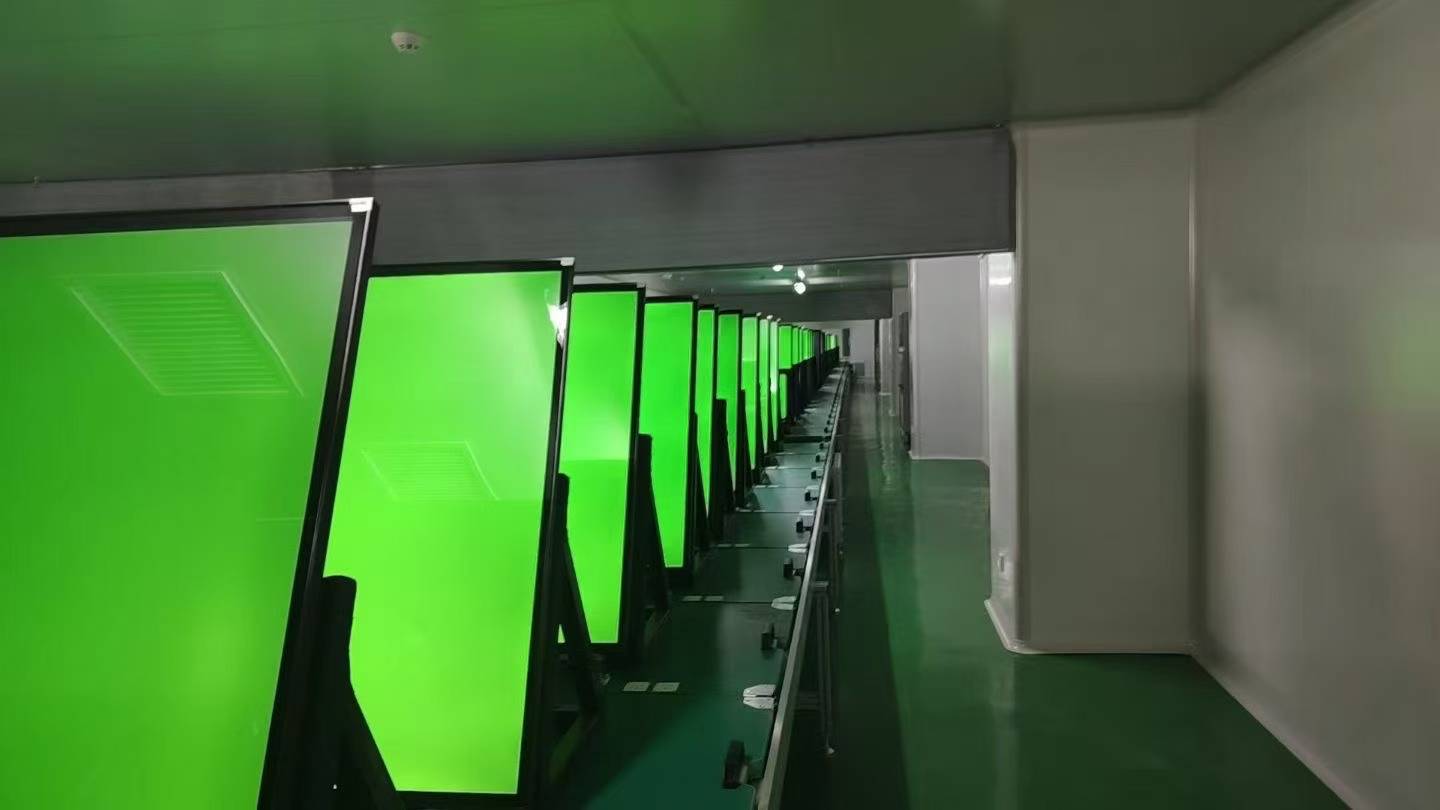
Because published benchmarks are limited, the acceptance process carries more weight in this category. GZKEDRO's documented control measures address five failure modes: overheating, water infiltration, abnormal system crash, voltage fluctuation and touch function failure. The corresponding design measures include an intelligent temperature control and cooling system, an IP65/IP66 waterproof structure with a sealed cabinet, a stable Android/Windows operating system with watchdog recovery, surge protection with industrial-grade power management, and an industrial-grade touch module with a calibration system.
Before shipment, the documented measures include a 72-hour aging test with real-time temperature monitoring, waterproof testing and environmental reliability inspection, software validation with OTA updates and remote technical support, power stability testing, and functional testing and quality control before delivery. Stated acceptance criteria include 100% aging test and functional inspection, covering brightness, waterproof, touch, temperature and continuous-operation testing.
For a buyer comparing RAM and storage configurations, that regime is the closest available substitute for an independent benchmark. It does not establish which configuration is faster, but it does show what the supplier verifies before a unit leaves the factory.
Commercial terms that shape the configuration decision
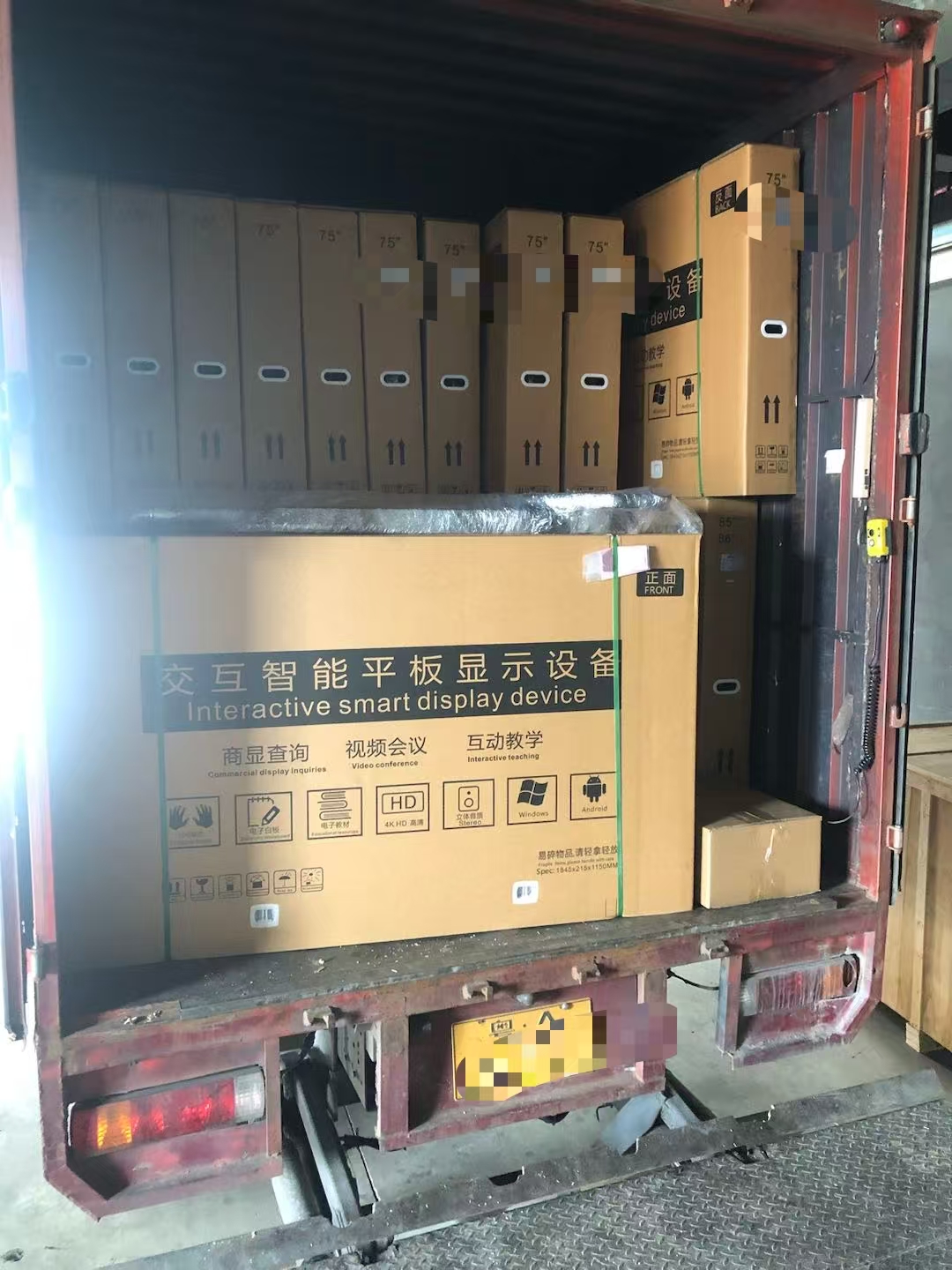
Configuration choices interact with commercial terms. GZKEDRO states a minimum order quantity of 2 to 5 units, flexible and dependent on product size and project scope, with project-based MOQ available. Standard production lead time is 15 to 30 days, with a maximum of 30 days, and monthly production capacity ranges from 2,000 to 5,000 units. The company exports to Europe, the Middle East and Asia. Delivery terms include DDP, CIF and FOB by air freight, sea freight or land transport. Payment terms include TT, L/C, D/P, PayPal, Payoneer, Wise and Western Union.
None of these terms change the hardware comparison, but they change how it should be sequenced. A configuration that cannot be produced inside the project window is not a viable option regardless of its specification, and a mixed fleet — KD-EA units for lean zones and KD-WM series units for multi-zone and interactive zones — is often best ordered as a single project so that lead times stay aligned.
Future outlook
Three changes are worth writing into supply agreements now.
- Longer asset life against rising content complexity. Forecasts to 2030 and 2034 both assume continued market growth, and that growth is concentrated in compute-heavy categories. Screens specified today will be asked to run content classes that were uncommon when they were purchased.
- Platform support as a contract term. Android version, API level, security patch cadence and the OTA support window should be documented per model rather than assumed across a fleet.
- Benchmark transparency. While interactive latency and light transmittance benchmarks remain unstandardised, the practical differentiator is how completely a supplier documents its configuration — RAM, storage, platform and verified pre-shipment testing.
The conclusion for procurement teams is straightforward: compare advertising displays on two axes at once. The visible axis — panel, brightness, ingress protection — decides where a screen can go. The invisible axis — RAM, storage and Android version — decides what the screen can still do in year three.
Frequently asked questions
What is the difference between the KD-WM series and the KD-EA Series in GZKEDRO's advertising display range?
The difference is the hardware tier available for local content and processing. The KD-WM series is specified with 4GB DDR3 RAM and 64GB eMMC storage; the KD-EA Series is specified with 1GB DDR3 RAM and 8GB storage. The higher tier supports larger locally cached libraries, concurrent multi-zone playback services, and interactive or AI-assisted content. The lower tier suits single-purpose looped signage where content is refreshed from the network. Both belong to the same portfolio and are managed through the same remote cloud platform, and the final configuration should be confirmed on the order datasheet.
How should a buyer decide which RAM and storage configuration a project needs?
Work backwards from the content and management plan. Size storage from the playlist that must play offline, including operating system and CMS overhead. Size memory from the number of services that must run at the same time, such as decoder, scheduler, statistics reporting, touch service or AI inference. Keep headroom for CMS and operating system revisions. Confirm the Android version and API level against the CMS application. Then validate with a sample unit before committing to volume production.
Which Android version do GZKEDRO advertising displays run, and can it be updated?
The documented control measures describe a stable Android/Windows operating system with a watchdog recovery mechanism, plus software validation, OTA updates and remote technical support. Because operating system builds are model- and board-specific, the exact Android version, API level and security patch level should be confirmed in writing for each model rather than assumed across the range. OTA support should be confirmed on the same basis, including the expected duration of update availability.
Is nominal storage the same as usable storage on an advertising display?
No. The operating system and the CMS client occupy part of the total capacity, so the space available for a content library is smaller than the headline figure. Buyers comparing suppliers on storage should request the usable application space rather than the nominal capacity, and should size the offline playlist against that figure.
Does a higher RAM and storage configuration improve brightness, resolution or weather resistance?
No. Memory and storage govern what content the internal player can run and cache. Brightness, resolution, contrast and ingress protection such as IP65 or IP66 are separate variables determined by the panel, backlight and cabinet design. A lower-tier configuration in a sealed outdoor cabinet can be the better choice for an outdoor site than a higher-tier configuration in an indoor-only chassis.
What pre-shipment testing applies to advertising display configurations?
The documented regime includes a 72-hour aging test with real-time temperature monitoring before shipment, waterproof testing and environmental reliability inspection, software validation with OTA updates and remote technical support, power stability testing, and functional testing and quality control before delivery. Stated acceptance criteria include 100% aging test and functional inspection, covering brightness, waterproof, touch, temperature and continuous-operation testing.
What minimum order quantity and lead time apply to a configured advertising display order?
Minimum order quantity is 2 to 5 units, flexible and dependent on product size and project scope, with project-based MOQ available. Standard production lead time is 15 to 30 days, with a maximum of 30 days, and monthly production capacity ranges from 2,000 to 5,000 units. Delivery terms include DDP, CIF and FOB by air, sea or land, and payment terms include TT, L/C, D/P, PayPal, Payoneer, Wise and Western Union.
Reference documentation
The GZKEDRO product catalog, covering commercial displays, advertising machines and interactive product lines, is published as a downloadable PDF: Kedro Product Catalog (English Edition). General company and product information is available at gzkedro.com.
Market, standards and supplier references used in this article: Grand View Research (commercial display market size, 2025–2030); Fortune Business Insights (commercial display market to 2034; interactive display market to 2034); SNS Insider (holographic display market to 2031); UL Solutions (UL 970 standard coverage for retail fixtures and commercial displays); HTNXT Research (GZKEDRO manufacturer profile). Each source uses its own product scope; figures from different scopes are reported separately and are not combined.
¿Tiene preguntas o necesita más detalles?
Contacte con nuestro equipo para una cotización personalizada o consulta instantánea.
Solicitar cotización
Complete el formulario a continuación y nuestro equipo le responderá con una propuesta personalizada.
Chat directo de WhatsApp
¿Prefiere chatear en tiempo real? Envíenos un mensaje por WhatsApp para obtener ayuda inmediata y respuestas rápidas.
- Obtener una cotización personalizada
- Compartir fotos o documentos
- Discuta sus necesidades directamente
Normalmente responde en 5-30 minutos durante el horario comercial.