
OPS PC Shortlist: Four Modules for Education, Meeting, Signage and Domestic Displays
OPS PC Shortlist: Four Modules for Education, Meeting, Signage and Domestic Displays
An OPS PC is a slot-in computer module that supplies the compute platform inside an interactive flat panel, a digital signage display or a video wall, so that display and computer are specified, installed and serviced as one unit. Because display portfolios are rarely uniform, the shortlist that actually helps a buyer is not a ranking of raw specifications. It is a mapping between four display scenarios and four modules, each of which can be adapted before mass production.
Shenzhen Aiostar Electronics Co., Ltd. (AIOSTAR) is a Shenzhen-based computer hardware supplier established in 2015 that develops, produces and supplies OPS PCs, OPS-C pluggable computer modules, Android OPS PCs, industrial motherboards, mini PCs, BOX PCs, industrial panel PCs, servers and customized embedded computing systems. The four modules below come from that portfolio and are presented here as scenario-matched customization bases, not as a brand ranking.
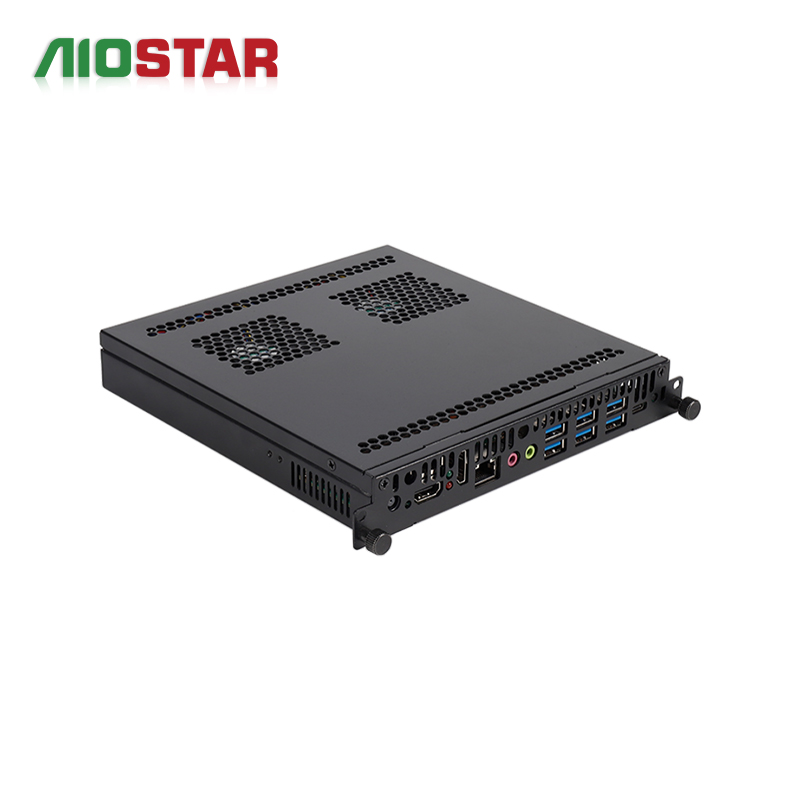
Slot-in OPS module with a desktop-class platform and project-based discrete graphics, shown as a hardware reference rather than a promotional visual.
Why one OPS PC model cannot cover a display portfolio
A single module rarely serves education panels, meeting displays, signage screens and domestic-platform displays at the same time, because the four scenarios pull the specification in different directions. A classroom panel is judged on daily touch interaction, teaching software and network-based management. A large-format meeting display is judged on output resolution and graphics headroom. A signage screen is judged on codec support, remote content updates and unattended runtime. A domestic-platform display is judged on the CPU platform itself, because that choice is usually fixed by the project.
That divergence is a procurement problem before it is an engineering one. Buyers who shortlist on processor model alone tend to discover the real constraints later — during mechanical fitting, thermal validation or operating-system imaging. The shortlist below therefore works from scenario requirements backwards to the module, and then forward again into the customization levers that must be fixed before mass production.
The first filter: standard OPS versus OPS-C mechanics
Mechanical fit eliminates more candidates than any processor comparison. The Intel Open Pluggable Specification defines a standard OPS module footprint of 180 mm x 119 mm x 30 mm. The OPS-C variant, which is primarily used in China, typically measures 180.8 mm x 195.2 mm x 42.5 mm. The two formats are not interchangeable in the same bay without an adapter arrangement, and the difference shows up as depth and thickness rather than width.
Procurement rule: confirm the display bay format before comparing processors, memory or storage. A module that does not physically seat in the panel cannot be rescued by configuration.
This is not a theoretical risk. In a Japan deployment, 1,000 units of the AOS-SOZK6A341SXGE were used by an industrial or transportation solution provider for OPS adapter board purposes, with a recorded service window of 3 to 7 years and stable operation reported. The case illustrates the practical pattern: where the display bay and the module family differ, an adapter arrangement is engineered and validated rather than improvised on site.
Four modules, four scenarios
Each entry below pairs one module with the scenario it is designed around, states the published configuration, and lists the points that must be confirmed before a project is locked.
1. Education: AOS-SOHAUF41SC OPS-C pluggable computer module
The AOS-SOHAUF41SC is an Intel Alder Lake-U OPS-C PC with CPU options that include the Intel Core i5-1235U and i5-1240P, configurable SO-DIMM memory and M.2 SSD storage, and OPS-C slot-in installation. Windows or Linux options depend on configuration. Wake-on-LAN, auto power-on and watchdog functions are available through BIOS configuration.
Its intended environment is the indoor classroom: daily operation, touch interaction and networked teaching applications. In that role the module runs teaching software, touch applications, media playback and video conferencing, installed in the display's OPS-C slot and operated locally or through the customer's network. Supporting equipment typically includes the interactive flat panel, touch module, camera, microphone, speakers and LAN or Wi-Fi.
The requirement that decides whether a classroom rollout succeeds is documentation, not headline specification. Mechanical size, connector pinout, display resolution, cooling and the operating-system image should all be verified before mass production. Auto power-on and watchdog behaviour are worth setting at the same stage, because they determine how a panel behaves after an unplanned power interruption in a room without on-site IT support.
2. Meeting and visualization: AOS-SOH61I41SXG discrete-GPU OPS computer
For large-format meeting displays, LED meeting displays, video walls and visualization projects, graphics headroom becomes the binding constraint. The AOS-SOH61I41SXG is built on the Intel H610 platform and supports selected 12th and 13th Gen Intel Core i3, i5 and i7 processors. It provides HDMI, HDMI and DisplayPort video outputs, with up to 8K 60 Hz output subject to the selected CPU, GPU and display configuration. Optional discrete graphics are available by project.
The scenario defines the workload: high-resolution content playback and optional GPU-assisted tasks, in an indoor controlled environment, with the module installed in the display's OPS slot and running continuously or on a defined schedule. Supporting equipment usually includes the large-format display, an LED controller or video wall controller, the content system and the network.
Four items should be confirmed before approval: the GPU model, the power budget, heat dissipation and the output resolution against the specific display. The 8K 60 Hz figure is a conditional ceiling, not a guaranteed output on every configuration, and adding discrete graphics raises the thermal load inside a confined slot. Where the project needs sustained GPU work, the enclosure, heat sink and fan arrangement deserve as much review as the processor choice.
3. Signage: AOS-SOR358464H Android AI OPS computer
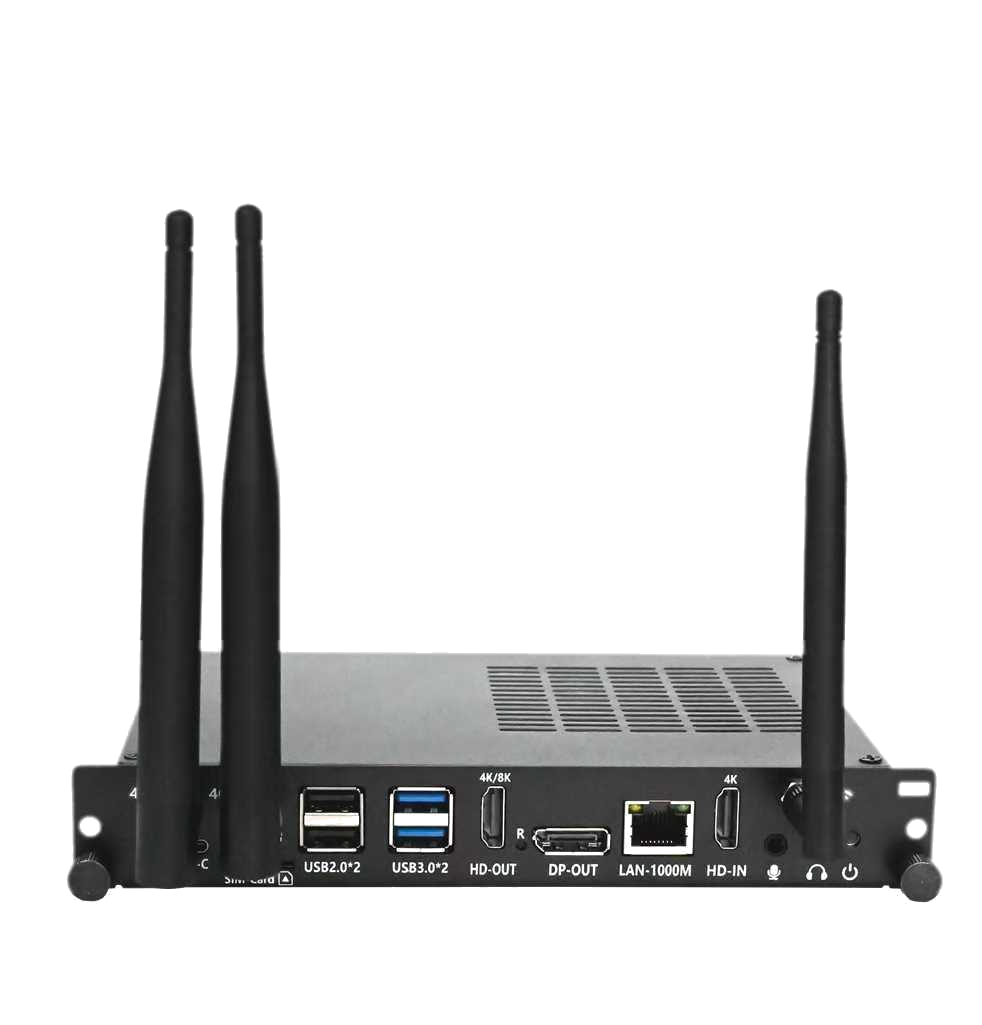
ARM-based OPS module with an integrated NPU, offered with Android or Linux firmware options.
Signage and smart retail projects optimise for different variables: unattended runtime, remote content updates and codec coverage. The AOS-SOR358464H is a Rockchip RK3588 module with an octa-core CPU running up to 2.4 GHz, an integrated 6 TOPS NPU, 4 GB LPDDR4 memory as standard with up to 16 GB optional, eMMC storage, and Android 13, Ubuntu or Debian depending on configuration. Its 8K multimedia capability depends on firmware and interface configuration.
The operating scenario is an indoor commercial environment requiring scheduled or continuous media playback with remote content updates, where the module decodes and displays scheduled video, images and information content through local or network-based content management. Supporting equipment typically includes the LCD or LED display, the content management system, network connectivity, speakers and optional sensors.
Because the software stack is Android or Linux rather than a desktop operating system, validation shifts toward the content pipeline. Codec support, target resolution, content management software, storage sizing, network behaviour and thermal performance under continuous playback should each be checked against the actual media schedule, not against a generic benchmark loop.
4. Domestic-platform displays: AOS-SOZK6A341SXGE OPS-C computer
Some projects specify the processor platform at tender stage, and that requirement overrides generic performance comparisons. The AOS-SOZK6A341SXGE is a Zhaoxin KX-6780 series OPS-C PC supporting the KX-U6780A, KX-U6740A, KX-U6640A and KX-U6640MA processors, with six USB ports including two USB 3.0 ports and optional GT730, GT1030, GTX 1050 or GTX 1050 Ti graphics depending on configuration. Memory, storage, operating system and project I/O are configurable.
It is intended for domestic-platform interactive displays, education, government information systems and project-specific commercial displays. Within corporate meeting and collaboration environments, a module of this family provides the computing platform for conferencing, document sharing, whiteboarding and presentation, installed in slot-in mode with local operation, network access and optional auto power-on. Supporting equipment includes the interactive display, camera, microphone array, speakers, touch controller and network.
Two checks matter more here than in the other three slots. First, the OPS-C mechanical format must match the display bay. Second, the software ecosystem should be re-validated rather than assumed: camera, microphone, touch, display output, operating system and conferencing software compatibility all need confirmation on the domestic platform specifically, since application availability and driver support can differ from the equivalent x86 build.
Side-by-side: platform, scenario and what must be locked
| Module | Platform | Primary scenario | Lock before mass production |
|---|---|---|---|
| AOS-SOHAUF41SC | Intel Alder Lake-U, OPS-C | Classroom interactive whiteboards | Mechanical size, pinout, resolution, cooling, OS image |
| AOS-SOH61I41SXG | Intel H610, 12th/13th Gen Core, optional discrete GPU | LED meeting displays, video walls, visualization | GPU model, power budget, heat dissipation, output resolution |
| AOS-SOR358464H | Rockchip RK3588, 6 TOPS NPU, Android or Linux | Digital signage, smart retail, kiosks | Codec, resolution, CMS software, storage, network, thermal |
| AOS-SOZK6A341SXGE | Zhaoxin KX-6780 series, OPS-C, optional discrete GPU | Domestic-platform displays, government information systems | Bay format, software ecosystem, conferencing compatibility |
Read across the table, the pattern is consistent: the processor family sets the scenario ceiling, but the approval decision is made by mechanical, thermal and software-fit items that sit outside the datasheet headline.
Inside a custom OPS PC module: what actually changes
A custom OPS PC module is not a separate product line; it is a configuration path applied to a base module. In AIOSTAR's OEM and ODM engagement model, the customization scope covers CPU platform, memory, storage, I/O, chassis size, cooling solution, BIOS functions, operating system image, logo, packaging, power adapter and cables. For a buyer, this is the practical definition of a custom module: the same board family, adapted to a specific panel, a specific software image and a specific installation environment.
Three commercial parameters shape how that customization is planned. Minimum order quantity is 1 unit for evaluation samples, while customized project MOQ depends on configuration. Lead time is 60 days. Monthly capacity is 5000+ units across the production operation, which sits alongside a 1,500 m² facility, an 8-engineer R&D team and an annual output of 170,000+ units, with an export ratio of 60% across global markets.
Quality control follows the same staged logic: incoming material inspection; functional and interface testing for finished units; burn-in testing when specified; and temperature, humidity, vibration and drop testing that can be arranged according to project requirements. After-sales support covers remote technical support, BIOS, operating system and driver assistance, and a one-year warranty unless otherwise agreed in the quotation or proforma invoice.
The practical sequence for a custom module is: evaluation sample, integration test on the target panel, BIOS and OS image freeze, then configured mass production. Compressing the sample stage usually transfers the risk to the first production batch.
Where the shortlist stops: limitations and boundary conditions
A four-module shortlist is a starting point, and it has clear edges. The most important is mechanical: OPS-C modules are deeper and thicker than standard OPS modules, so a module from this shortlist should not be assumed to fit a standard OPS bay without an adapter arrangement and its own validation. Buyers sourcing panels and modules from different suppliers should treat bay confirmation as a pre-condition, not a post-order check.
The second boundary is thermal. All four modules sit inside a display slot with a defined indoor operating environment. The discrete-GPU configuration adds heat inside the same confined space, and the 8K 60 Hz output figure is subject to the selected CPU, GPU and display configuration. Projects that assume the ceiling without checking the configuration are the ones that run into throttling or reduced output options during integration.
The third boundary is software. The Android module depends on firmware and interface configuration for its higher multimedia capabilities, and its suitability depends on the content management software in use rather than on the module alone. The domestic-platform module carries platform-specific application and driver considerations. Neither should be evaluated with a generic desktop benchmark.
Finally, modular OPS is not universally the better architectural choice. Compared with an external desktop PC, an OPS module removes the separate enclosure, the external cabling and the mounting bracket at the display, and it is serviced as part of the panel. The trade-off is a constrained thermal envelope and limited internal expansion space. Projects that need high sustained graphics load, large internal expansion or non-standard peripherals may be better served by an external chassis, even though it costs more in installation and cabling.
Market context: modular compute inside a growing display base
The commercial backdrop supports continued attention to module selection. QYResearch projects the global OPS computer host market to reach USD 1.005 billion by 2031, with a CAGR of 8.0% over the 2025–2031 period. Growth of that order implies a larger installed base of interactive flat panels and signage displays, and therefore a larger population of modules that will need replacement, upgrade and re-imaging over their service life.
Two structural effects follow. First, modularity matters more over time than at the point of sale: a slot-in module can be swapped without replacing the panel, which extends the useful life of the display asset. Second, platform diversity becomes normal rather than exceptional. A single supplier relationship may now need to span an Intel mobility platform for classrooms, a desktop-class platform with optional discrete graphics for meeting displays, an ARM platform with an integrated NPU for signage, and a domestic CPU platform for projects where that is specified.
The signage slot is where that diversity is most visible. An integrated NPU rated at 6 TOPS on an OPS module makes on-device inference a realistic option for display terminals, though whether a given project uses it depends on the application layer rather than on the hardware alone.
Frequently asked questions
Which OPS PC module should be shortlisted for a classroom interactive whiteboard?
The AOS-SOHAUF41SC is the education-oriented entry in this shortlist. It is an Intel Alder Lake-U OPS-C PC with CPU options including the Intel Core i5-1235U and i5-1240P, configurable SO-DIMM memory and M.2 SSD, and OPS-C slot-in installation. It is intended for interactive whiteboards and teaching displays running teaching software, touch applications, media playback and video conferencing in an indoor classroom, and BIOS-configurable Wake-on-LAN, auto power-on and watchdog functions are available for managed deployments.
What is the difference between standard OPS and OPS-C dimensions?
The standard Intel OPS module footprint is 180 mm x 119 mm x 30 mm, as defined in the Intel Open Pluggable Specification. The OPS-C variant, primarily used in China, typically measures 180.8 mm x 195.2 mm x 42.5 mm. The formats differ mainly in depth and thickness, so an OPS-C module does not seat directly in a standard OPS bay; where the two must be combined, an adapter arrangement is engineered and validated for the project.
Is an Android OPS module appropriate for signage with remote content updates?
It can be, provided the content pipeline is validated. The AOS-SOR358464H is a Rockchip RK3588 module with an octa-core CPU up to 2.4 GHz, an integrated 6 TOPS NPU, 4 GB LPDDR4 standard with up to 16 GB optional, eMMC storage, and Android 13, Ubuntu or Debian options. It is designed for indoor commercial environments requiring scheduled or continuous media playback and remote content updates, and buyers should confirm codec support, resolution, content management software, storage, network and thermal performance before deployment.
When is a discrete-GPU OPS PC the right choice for a meeting display or video wall?
When the project requires high-resolution content playback or GPU-assisted workloads on a large-format display, LED meeting display or video wall. The AOS-SOH61I41SXG uses the Intel H610 platform with selected 12th and 13th Gen Intel Core i3, i5 and i7 processors, HDMI, HDMI and DisplayPort outputs, up to 8K 60 Hz subject to the selected CPU, GPU and display configuration, and optional discrete graphics by project. Approval should confirm the GPU model, power budget, heat dissipation and output resolution against the specific display.
What can be customized on an OPS PC module, and what is the minimum order?
AIOSTAR's OEM, ODM and project customization scope covers CPU platform, memory, storage, I/O, chassis size, cooling solution, BIOS functions, operating system image, logo, packaging, power adapter and cables. Minimum order quantity is 1 unit for evaluation samples, while customized project MOQ depends on configuration. Lead time is 60 days, monthly capacity is 5000+ units, and quality control includes incoming material inspection, functional and interface testing of finished units, burn-in testing when specified, and temperature, humidity, vibration and drop testing that can be arranged per project requirement.
What evidence should a buyer review before approving an OPS module for a multi-year display project?
At minimum: the mechanical drawing against the target display bay, the connector pinout, confirmed display resolution and cooling arrangement, and a frozen operating-system image tested on the actual panel. Commercial evidence should include the quotation terms, warranty period — one year unless otherwise agreed in the quotation or proforma invoice — and the after-sales scope, which covers remote technical support and BIOS, operating system and driver assistance. Deployment history is also relevant: 1,000 units of the AOS-SOZK6A341SXGE were used in a Japan project for OPS adapter board purposes by an industrial or transportation solution provider, with a 3 to 7 year service window and stable operation reported.
Conclusion
The four modules in this shortlist differ less in build philosophy than in which constraint they are designed to absorb: touch-centric classroom uptime, graphics headroom for large-format meeting displays, unattended signage playback with firmware-dependent multimedia capability, and platform-specific compliance for domestic displays. Selecting between them is a scenario exercise first and a specification exercise second.
For buyers, the durable rule is to fix the mechanical format, the thermal budget and the software image before negotiating configuration. Those three items decide whether a custom OPS PC module integrates cleanly on the first build or returns to the sample stage.
Product and company documentation, including the current module lineup and configuration options, is available in the AIOSTAR introduction brochure: Aiostar Introduction 2026 (PDF).
¿Tiene preguntas o necesita más detalles?
Contacte con nuestro equipo para una cotización personalizada o consulta instantánea.
Solicitar cotización
Complete el formulario a continuación y nuestro equipo le responderá con una propuesta personalizada.
Chat directo de WhatsApp
¿Prefiere chatear en tiempo real? Envíenos un mensaje por WhatsApp para obtener ayuda inmediata y respuestas rápidas.
- Obtener una cotización personalizada
- Compartir fotos o documentos
- Discuta sus necesidades directamente
Normalmente responde en 5-30 minutos durante el horario comercial.