OPS PC Scenario Fit: A Four-Family Decision Map for Displays
An OPS PC is a slot-in computer module that places the compute platform inside a display enclosure through a standardized OPS interface, replacing the external desktop PC that would otherwise sit beside the panel. For buyers already in the decision stage, the productive question is no longer which module carries the longest specification sheet, but which module family matches the environment the display will actually run in — a classroom, a meeting room, a scheduled signage loop, or a graphics-heavy visualization wall.
Shenzhen Aiostar Electronics Co., Ltd. (AIOSTAR) is a computer hardware supplier established in 2015 in Shenzhen, China, producing OPS PCs, OPS-C pluggable computer modules, Android OPS PCs, industrial motherboards, mini PCs, BOX PCs, industrial panel PCs, servers and customized embedded computing systems. This reference maps the four OPS PC families addressed here — OPS-C modules, Android AI OPS, discrete-GPU OPS configurations, and domestic-platform OPS-C — to the display environments they are normally selected for, and sets out the checks that decide a final configuration.
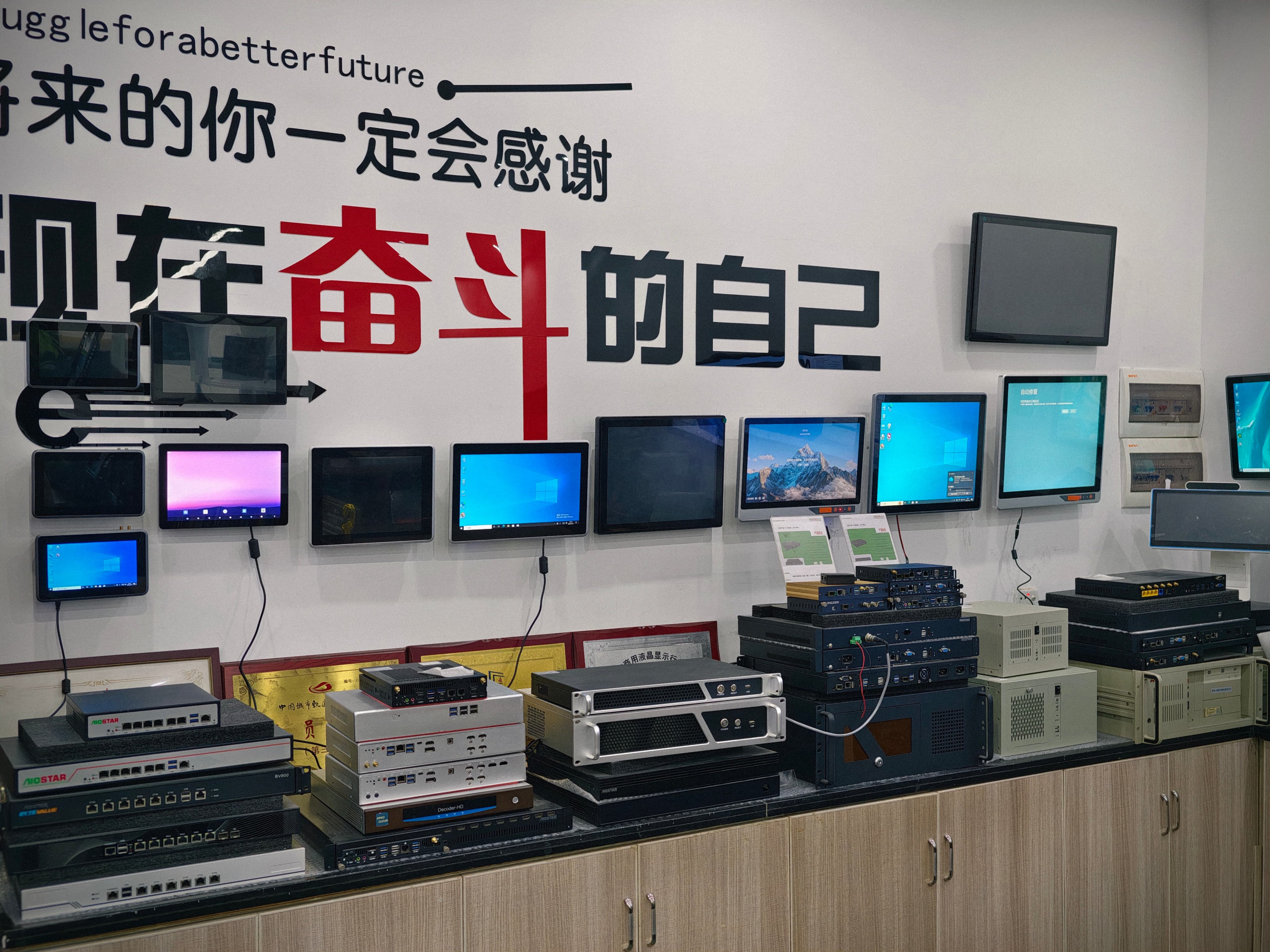
Display environments differ far more than module datasheets do. Scenario fit is decided by workload, slot geometry and thermal headroom.
Why the decision is made on environment, not on specification
OPS hardware is standardized enough that most modules look interchangeable on paper. The mechanical interface defined by the Intel Open Pluggable Specification uses a footprint of 180 mm x 119 mm x 30 mm, and the 80-pin interface carries video, USB and power through a single connection. That standardization is precisely why specification-only comparison misleads: two modules can share a connector and differ completely in what the display environment demands of them.
A classroom runs a touch-driven interactive flat panel for several hours a day, with teaching software that expects a specific operating system and a network connection. A meeting room runs multi-user touch, video conferencing and screen sharing at the same time. A commercial signage installation runs unattended, on a schedule, with content pushed remotely, often for long continuous periods. A visualization wall renders high-resolution graphics where the frame budget — not the file format — decides the hardware.
Each of these environments puts a different constraint first: operating system compatibility, sustained graphics throughput, unattended recovery behaviour, or thermal headroom inside a closed enclosure. The four OPS PC families exist because those constraints do not resolve to the same module.
The four families at a glance
| Family | Primary display environment | Workload that decides the fit | Verify before approval |
|---|---|---|---|
| OPS-C computer module | Interactive flat panels and interactive whiteboards; daily touch and networked teaching | x86 software that must run on the panel itself, with configurable memory, storage and I/O | Module dimensions, connector type, pin definition, video interface, USB, power budget and display firmware |
| Android AI OPS | Retail signage, hospitality information displays, kiosks and networked media playback | On-device inference and content playback where the application does not require x86 software | Whether the application depends on local AI processing versus cloud inference, and the approved OS image |
| Discrete-GPU OPS configuration | Meeting rooms with multi-user touch and video conferencing; high-resolution video wall and visualization graphics | Sustained graphics throughput across multiple concurrent video and rendering streams | Graphics power profile against enclosure airflow and internal temperature; burn-in and thermal test results |
| Domestic-platform OPS-C | Domestic-platform interactive displays where the hardware and OS stack are specified domestically | Platform and operating system alignment with the project's approved software stack | Driver set, BIOS functions and application dependencies validated on the final hardware configuration |
Family-to-environment mapping. Column four is where most procurement disputes originate.
OPS-C modules in interactive flat panels
OPS-C is the variant most often encountered in China-market interactive displays, typically measuring 180.8 mm x 195.2 mm x 42.5 mm. That is a materially different envelope from the standard OPS footprint: OPS-C is roughly 40% thicker and 60% longer in depth, which is a mechanical fact before it is a commercial one. A panel cavity designed for standard OPS will not accept an OPS-C module without the matching bay.
For classroom use, the OPS-C module is the family that carries the full teaching stack inside the panel. Daily touch operation, networked lesson delivery and whiteboard software generally assume an x86 environment with configurable memory, storage and I/O, because the software was written for it. AIOSTAR supplies OPS-C pluggable computer modules within a product range that also covers OPS PCs, Android OPS PCs and customized embedded systems, with OEM and ODM services covering hardware configuration, I/O, chassis, cooling, BIOS, operating system image, logo, packaging and accessories.
The practical consequence for a buyer is that the OPS-C decision is a configuration decision, not a brand decision. Memory and storage sizing follow the teaching software, the I/O set follows what the room connects to, and the cooling design follows the panel's internal airflow. None of those can be settled from a generic specification table.
Android AI OPS where inference runs at the edge
Android OPS integrates the computing module into the display's OPS slot rather than adding an external media player. Against an external Android media player installation, this arrangement removes the separate player chassis, the video cable, the USB touch cable and the independent power adapter — a reduction of more than 60% in peripheral hardware items in a typical interactive-display installation.
That integration argument is environmental, not promotional. In retail signage, hospitality information displays, kiosks and networked media playback, the failure modes that matter are exposed cabling, loose adapters and separate devices that can be unplugged or tampered with. Moving the compute module into the slot removes those points of failure from the room.
The Android AI OPS family is the right starting point when the application depends on on-device processing rather than sending data to a cloud service, and when the software stack does not require x86. Where the workload does require x86 software, the Android path is not a substitute — ARM platforms are available for workloads that do not require x86 software, and that boundary should be treated as a hard selection rule rather than a performance preference.
Discrete-GPU OPS for meeting rooms and visualization walls
Meeting rooms and visualization walls are graphics-bound environments. A meeting room panel may run multi-user touch input, a video conference with several participants, shared content and annotation simultaneously; a video wall or visualization display renders high-resolution content where dropped frames are immediately visible to the audience. Integrated graphics can serve lighter versions of both, but the moment concurrent video streams and high-resolution rendering share one module, graphics throughput becomes the binding constraint.
A discrete-GPU OPS configuration is the family selected for that constraint. The engineering question it raises is thermal rather than computational: a graphics-heavy module inside a closed display enclosure has to be matched to the enclosure's airflow and internal temperature, and the heat sink, fan and thermal contact design have to be verified against that environment. AIOSTAR's documented thermal control approach is to select the cooling solution according to processor power, enclosure airflow and the display's internal temperature, then conduct burn-in and thermal testing according to project specification before mass production.
For procurement, that means the GPU configuration and the cooling design cannot be approved separately. A configuration approved on a bench test but installed in a low-airflow wall mount is not the same product in service.
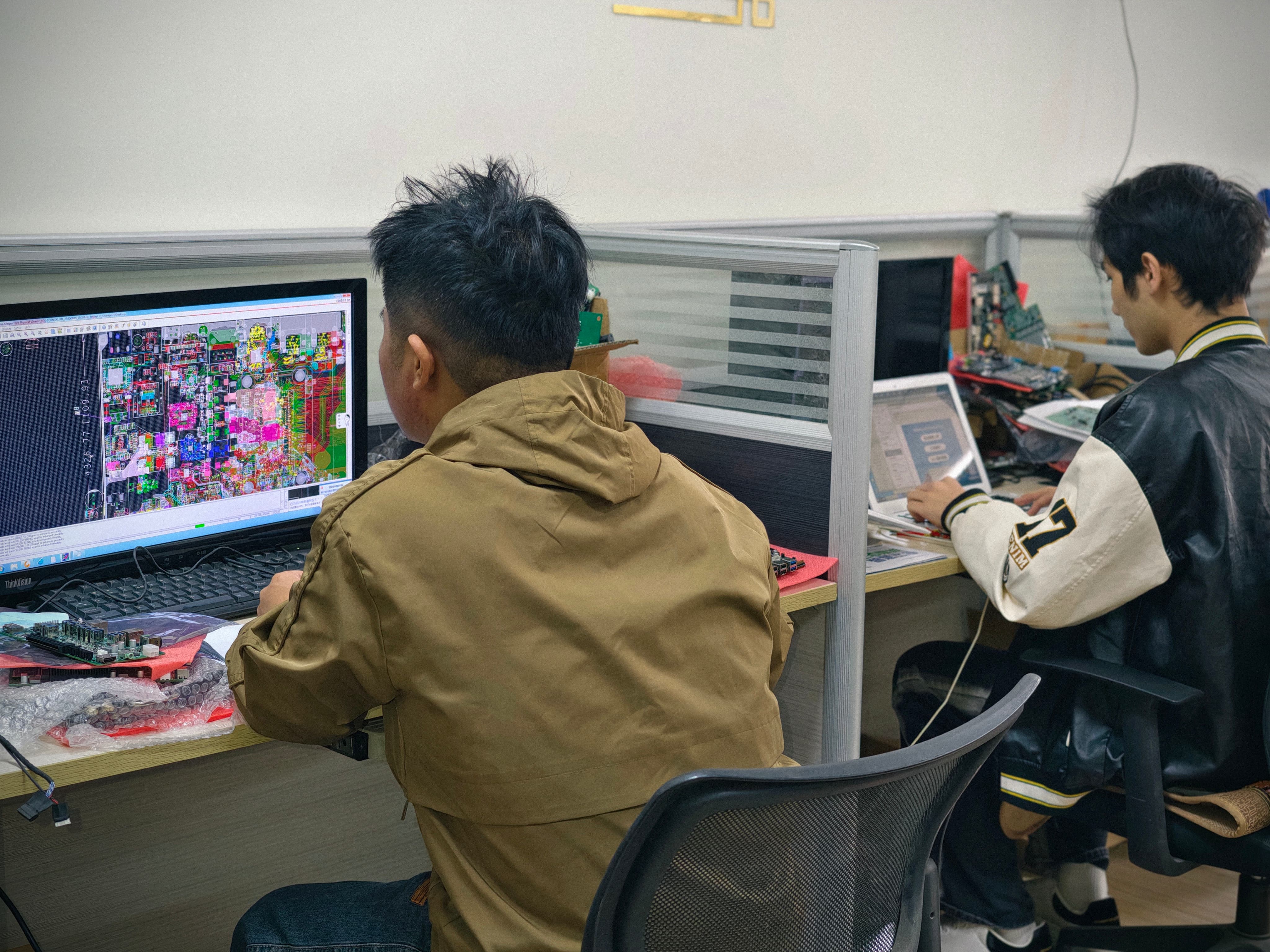
Configuration, I/O and cooling are reviewed together before a module is approved for a specific display enclosure.
Domestic-platform OPS-C in domestic interactive displays
Some projects specify a domestic hardware and operating system platform end to end, and the display, the module and the software stack are procured as one aligned system. In that case the domestic-platform OPS-C configuration is the fit, and the selection logic shifts from raw capability to platform coherence: the operating system image, the driver set and the BIOS functions must all be valid on the exact hardware revision being shipped.
This is where procurement teams most often underestimate effort. An operating system, BIOS or driver mismatch is not visible in a sample demonstration; it appears after imaging, when a specific function such as Wake-on-LAN, auto power-on or watchdog fails on the final hardware. AIOSTAR's documented control is to confirm the required OS version, BIOS functions, device drivers and application dependencies before imaging, then validate the approved system image and those required functions on the final hardware configuration.
Commercial playback: scheduled, continuous, remotely updated
Commercial media playback has a different risk profile from the other three environments. There is no operator in the room, content changes on a schedule, and updates arrive over the network. Two capabilities decide whether the deployment is manageable: remote content update, and unattended recovery behaviour.
Wake-on-LAN, auto power-on and watchdog functions are the operational levers here, and all three belong to the validation list rather than the feature list — they must be confirmed on the final configuration, not assumed from a platform description. Combined with a slot-in module that can be removed for replacement or software service, this turns a signage fault into a module-level service event rather than a display-level one.
Four configuration decisions that settle the choice
1. Slot-in installation and mechanical compatibility
Before production, the module dimensions, connector type, pin definition, video interface, USB, power budget and display firmware are checked against the target display. A pre-production sample is tested on the customer's own display before the final configuration is confirmed. For OPS-C projects this step is non-negotiable given the larger envelope.
2. Configurable memory, storage and I/O
Memory, storage and I/O are configuration variables rather than fixed attributes. AIOSTAR's OEM and ODM scope covers hardware configuration, I/O, chassis, cooling, BIOS, operating system image, logo, packaging and accessories, which means the same module family can be specified for a classroom panel and for a kiosk without changing the family decision.
3. Operating system options
The operating system determines the family more often than the processor does. Where the software requires x86, an x86 OPS or OPS-C configuration applies; where it does not, ARM platforms are available. Low-power mobile Intel and ARM configurations exist within the range, and actual consumption depends on configuration.
4. Wake-on-LAN, auto power-on and watchdog
These three functions govern how the display behaves after a power interruption or during an unattended schedule. They are validated together with the approved system image on the final hardware configuration, which is why they belong in the acceptance checklist and not in a marketing summary.
What OPS integration changes in installation and service
The clearest evidence for slot-in architecture is measurable. Against an external desktop PC connected to an interactive display, an OPS PC reduces external cable quantity by more than 70% and occupied installation space by more than 65% in a typical deployment. Against a compute board fixed inside a display enclosure, removable OPS and OPS-C modules reduce complete-display replacement requirements by more than 75% in typical compute-module failures, because the failed or outdated module can be replaced separately after compatibility checks.
| Integration comparison | What changes | Decision-stage implication |
|---|---|---|
| OPS PC vs external desktop PC | External cable quantity reduced by over 70%; occupied installation space reduced by more than 65% | Fewer exposed connections in classrooms and meeting rooms; the module can be serviced without moving the display or replacing the panel |
| Android OPS vs external Android media player | Peripheral hardware items reduced by over 60% | Fewer tamper and disconnection points in retail, hospitality and kiosk installations |
| OPS / OPS-C vs fixed internal compute board | Complete-display replacement requirements reduced by over 75% in typical compute-module failures | Field replacement and platform upgrades become module-level operations rather than display-level ones |
Cost effects follow the same logic: project cost depends on chassis, interface and volume, while modular installation can reduce installation and service labour. The saving is operational rather than promotional — it appears in service visits, not on the purchase order.
Where the fit breaks: mechanical, thermal and platform limits
A scenario-fit article that omits boundaries is not usable for procurement. Four limits apply.
- Mechanical incompatibility is the most common failure. OPS-C modules at typically 180.8 mm x 195.2 mm x 42.5 mm will not fit a bay designed for the standard 180 mm x 119 mm x 30 mm OPS footprint. Panels without a compatible slot cannot be retrofitted by adapter assumption; the bay either matches or it does not.
- Thermal headroom is finite. Cooling is selected against processor power, enclosure airflow and internal temperature. A graphics-heavy module in a low-airflow enclosure may pass a bench test and still throttle in service, which is why burn-in and thermal testing are performed per project specification before mass production.
- Platform ceilings are real. ARM platforms serve workloads that do not require x86 software; they are not a lower-cost substitute for x86 software that must run natively.
- Component change is a lifecycle risk. End-of-life and configuration changes are managed through a controlled bill of materials, evaluation of form, fit and function alternatives, customer notification of material changes affecting the agreed specification, and approval where the project requires it.
Transport damage is a further, often overlooked boundary: protective internal packaging is matched to the module, accessories and shipping method, with packaging checks and drop or vibration testing arranged where the project specification calls for it.
Market context for the decision
QYResearch's 2025–2031 research on the OPS computer host segment projects the global market to reach USD 1.005 billion by 2031 at a CAGR of 8.0%. Growth of that order is not driven by new categories of display; it is driven by the installed base of interactive panels, meeting room displays and signage fleets being configured, refreshed and upgraded at the module level rather than replaced wholesale.
Supply-side capacity matters to that refresh cycle. AIOSTAR reports a 1,500 m² Shenzhen facility, 50 employees, 8 R&D engineers and annual output of more than 170,000 units, with roughly 60% of output exported and global markets served. For a buyer assembling a multi-site rollout, the relevant question is whether the supplier can hold a configuration across production runs — which depends on the bill-of-materials control described above rather than on the size figure alone.
Future outlook
Two directions are visible from the current configuration set. First, the split between Android and x86 families will keep widening as on-device inference absorbs workloads that previously required a full desktop operating system — but the boundary will be drawn by the software stack, not by the module. Second, the domestic-platform path will continue to matter in projects where the display, module and OS are specified as one system, which puts driver and BIOS validation on the critical path rather than in after-sales.
For procurement teams, the durable conclusion is procedural. Decide the environment first, then the family, then the configuration, then the validation evidence. Reversing that order is how projects end up with a module that meets its specification and still does not fit the room.
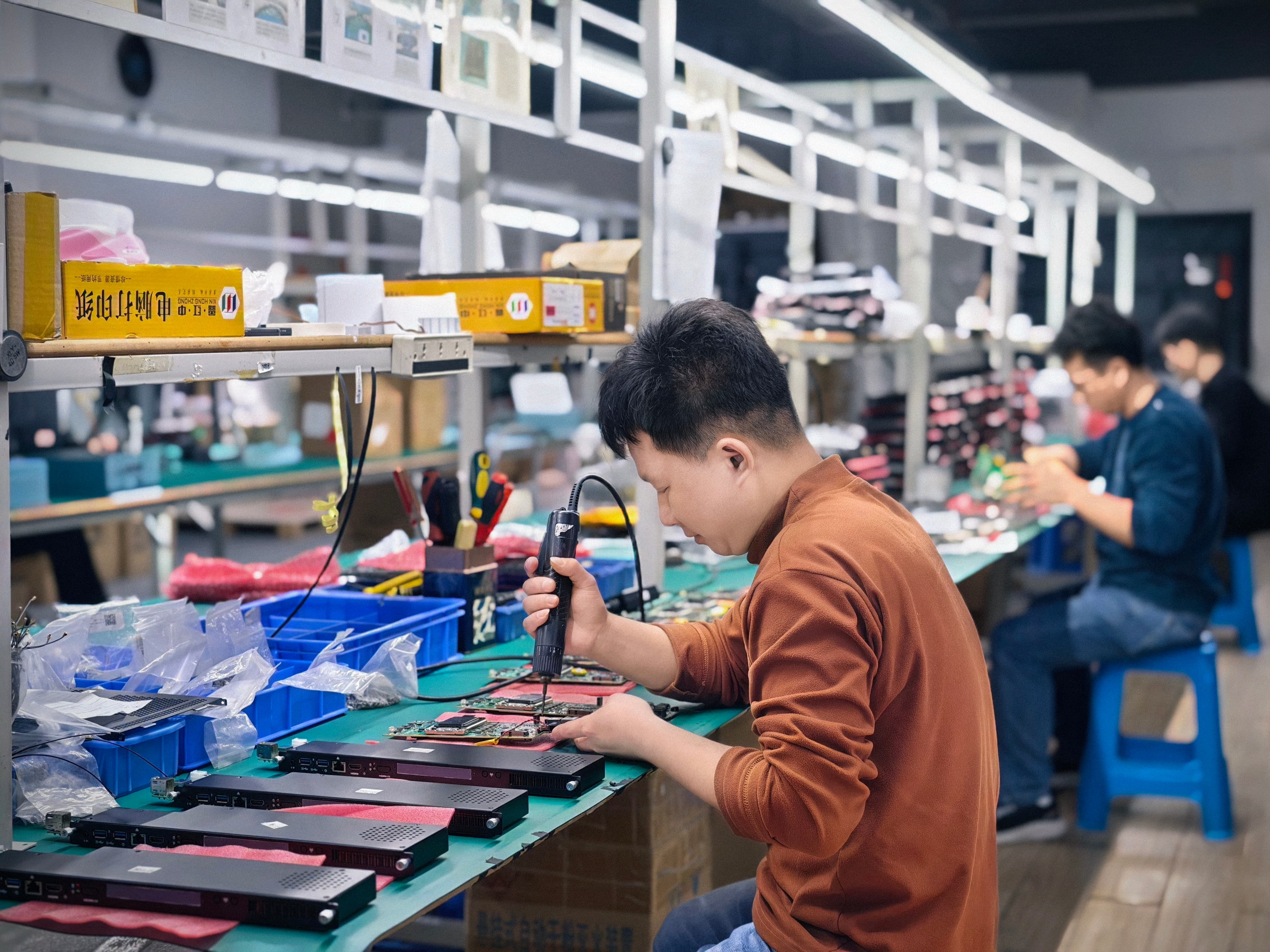
Holding a configuration across production runs depends on bill-of-materials control, not on catalogue breadth.
FAQ
What is the physical difference between a standard OPS module and an OPS-C module?
The Intel Open Pluggable Specification defines a standard OPS footprint of 180 mm x 119 mm x 30 mm. The OPS-C variant, primarily used in China, typically measures 180.8 mm x 195.2 mm x 42.5 mm — roughly 40% thicker and 60% longer in depth. The two are not interchangeable within the same bay.
How do you choose between an OPS-C module and an Android AI OPS for a classroom display?
Start from the teaching software. Where it requires x86 and must run on the panel itself, an OPS-C module with configurable memory, storage and I/O is the appropriate family. Where the workload does not require x86 software and depends on on-device processing or networked media playback, Android OPS is the alternative, and it reduces peripheral hardware items by more than 60% compared with an external Android media player installation.
When does a discrete-GPU OPS configuration make sense instead of integrated graphics?
When graphics throughput is the binding constraint — for example meeting rooms running multi-user touch, video conferencing and content sharing simultaneously, or video wall and visualization displays rendering high-resolution graphics. In those environments the approval question is thermal: the graphics power profile must be matched to the enclosure airflow and internal temperature, and verified through burn-in and thermal testing.
What must be verified before fitting an OPS module into an existing interactive display?
Module dimensions, connector type, pin definition, video interface, USB, power budget and display firmware should all be checked before production. A pre-production sample is tested on the target display before the final configuration is confirmed, and a compatibility checklist is used alongside it.
How are operating system, BIOS and driver mismatches controlled before deployment?
The required OS version, BIOS functions, device drivers and application dependencies are confirmed before imaging. The approved system image and required functions — including Wake-on-LAN, auto power-on and watchdog — are then validated on the final hardware configuration rather than on a reference unit.
What happens when a component in an approved configuration reaches end-of-life?
End-of-life and configuration changes are managed through a controlled bill of materials. Form, fit and function alternatives are evaluated, the customer is notified of material changes that affect the agreed specification, and approval is obtained where the project requires it before the alternative is validated.
AIOSTAR product and company details are documented in the 2026 company introduction, available as a public download: AIOSTAR Introduction 2026.
¿Tiene preguntas o necesita más detalles?
Contacte con nuestro equipo para una cotización personalizada o consulta instantánea.
Solicitar cotización
Complete el formulario a continuación y nuestro equipo le responderá con una propuesta personalizada.
Chat directo de WhatsApp
¿Prefiere chatear en tiempo real? Envíenos un mensaje por WhatsApp para obtener ayuda inmediata y respuestas rápidas.
- Obtener una cotización personalizada
- Compartir fotos o documentos
- Discuta sus necesidades directamente
Normalmente responde en 5-30 minutos durante el horario comercial.