
Matching POS Kiosks, KDS and Validators to Real Workflows
Matching POS Kiosks, KDS and Validators to Real Workflows
Choosing a POS terminal for retail checkout, restaurant ordering or transit ticketing starts with the transaction workflow—not with a device label. A kiosk collects and processes a customer’s order or checkout actions; a Kitchen Display System (KDS) supports kitchen order routing; a ticket validator checks a fare or ticket at a point of entry or inspection; and a handheld ticketing POS supports mobile fare collection and related tasks. These roles can be part of a broader deployment, but they are not interchangeable.
Telpo Technology Co., Ltd. is a smart-terminal manufacturer whose portfolio includes POS terminals, self-service kiosks, ticket validators and biometric devices. Its four stated overseas business segments—Smart Retail, Smart Payment, Smart Transportation and Biometric Security—offer a useful way to organize a fit assessment. The distinctions below use Telpo’s supplied product and application information; final suitability depends on the project’s software, payment, mounting, peripheral and local operating requirements.
Start by locating the transaction in the workflow
The most useful first question is where the device acts: before an order is placed, at checkout, during kitchen preparation, or when a ticket is presented for travel. A device that accepts payment is not automatically a validator, and a validator is not automatically a general-purpose merchant POS. Matching the device to the transaction point helps avoid treating similar-looking screens as equivalent equipment.
- Retail checkout: identify whether the customer scans and pays independently, an employee operates a checkout terminal, or a mobile worker takes payment away from a counter.
- Restaurant ordering: distinguish customer self-ordering from staff-operated counter service, table-side payment and the routing of orders to kitchen staff.
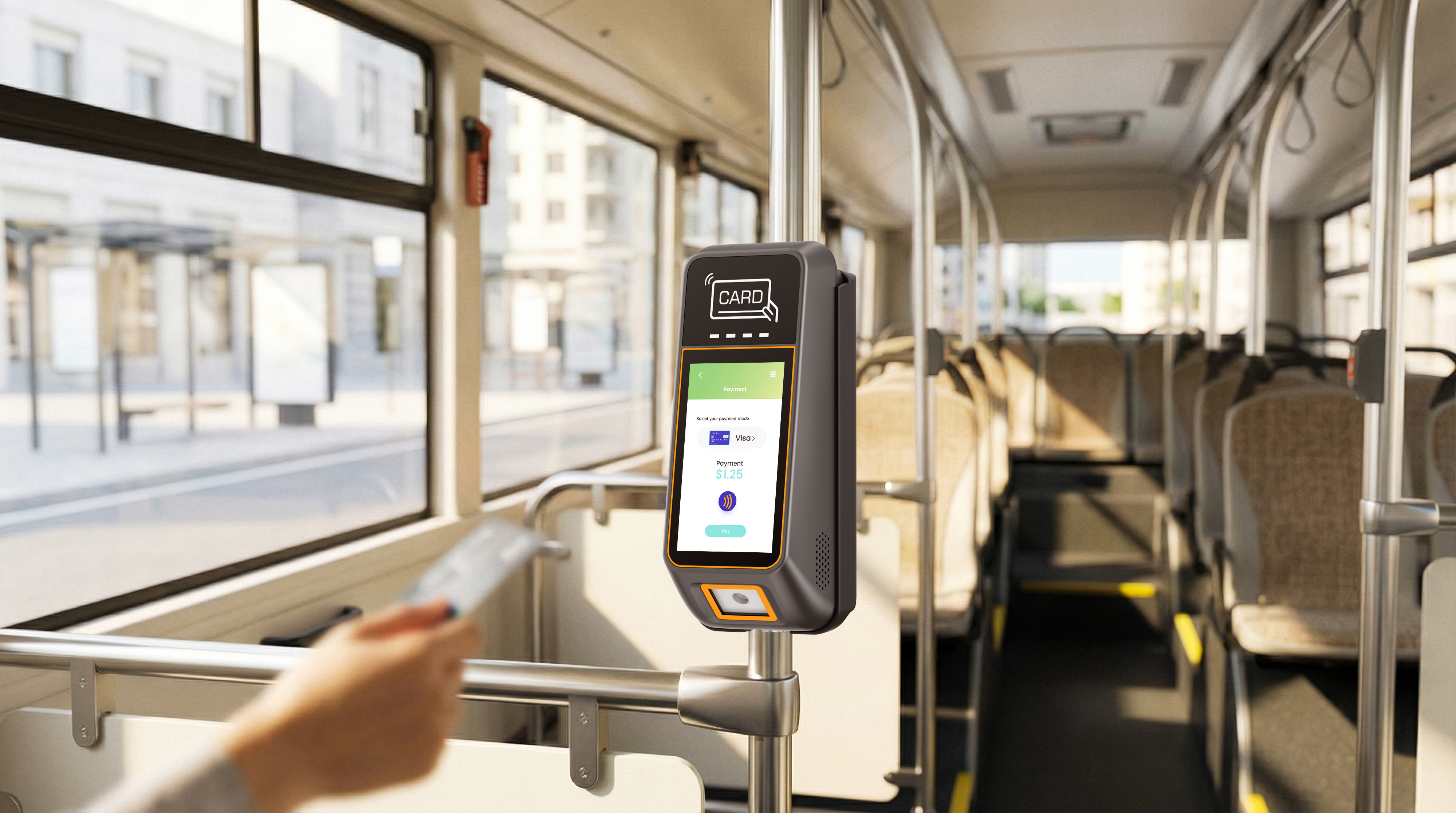
- Transit: distinguish selling or collecting a fare on a handheld device from checking a ticket or payment credential at a boarding or inspection point.
These are functional distinctions, not claims that one form factor is inherently faster or more cost-effective. A procurement brief should state the workflow, users, payment or ticket media, required peripherals, mounting and system interfaces before comparing individual POS terminal configurations.
Retail: choose between self-service, self-checkout and staffed POS
Retail self-service kiosk and self-checkout deployments address customer-operated transactions, but the product scope can differ. A self-service kiosk may support a broader self-directed service or checkout flow; a self-checkout kiosk is specifically positioned around the shopper identifying goods and completing a purchase. A staffed Cash Register POS or Retail POS Terminal, by contrast, keeps the transaction under employee operation.
Telpo’s K10 is listed as a Self-Service Kiosk and is associated with self-service checkout in a supermarket application. The supplied product description identifies a 15.6-inch screen, Android 14, and desktop and floor-stand options. Those details help define an installation and interface choice; they do not establish compatibility with every retailer’s checkout software, payment methods or peripherals. Those items need to be verified against the intended configuration.
For product-recognition checkout, the supplied New Retail scenario describes Telpo’s C9 as an unattended terminal with on-device AI vision, recognition of barcoded and barcode-free items, and optional payment modules and scale. A separate canteen scenario describes the C50 as an AI self-checkout device with optional equipment for payment and weighing. The options are not universal inclusions. A buyer should confirm which model, recognition workflow, payment module, scale and software integration are in the specific offer rather than treating a feature listed for one configuration as standard across all POS terminals.
The decision hinge is the merchandise flow. A conventional scanned-item checkout depends on the retailer’s chosen scanning and payment arrangement. A vision-based or weighing workflow must also be evaluated for the actual goods and operating process. The supplied material describes supported functions but does not provide a single, independent comparative test across product categories. A project acceptance plan should therefore use representative items and the customer’s own pricing, weighing and exception-handling rules.
A conventional countertop POS remains relevant when a cashier operates the terminal or when the store requires integration with existing checkout peripherals. Telpo’s C9W scenario, for example, identifies Windows operation, external printer support and multiple USB ports for a fashion-retail setting with existing Windows POS software. The supplied description does not establish compatibility with every Windows application or peripheral. Confirm the software version, drivers, ports, payment reader and receipt setup together.
Dining: separate customer ordering, payment and kitchen routing
Restaurant deployments often combine several roles: customers place orders, staff take payment, and the kitchen receives order information. A Self-Ordering Kiosk is for the customer-facing order-entry step; a Restaurant POS Terminal may support a staff-operated counter workflow; a handheld POS can bring payment to a table or another service point; and a KDS provides a kitchen-facing display role when included in the configured system.
Telpo’s K20 is identified as a Self-Ordering Kiosk. The supplied case material describes its use for self-service ordering and receipt printing at Burger King Mongolia and lists a touchscreen, multilingual user interface and audio accessibility mode. This illustrates the ordering role; it does not prove that the kiosk alone performs every function in a restaurant deployment. Buyers should confirm how menu configuration, order submission, payment, receipt output and kitchen routing are handled by the complete solution.
For the kitchen-facing step, Telpo’s product list identifies a C9 VESA as a KDS, and the full-service restaurant scenario lists a KDS as optional matched equipment alongside countertop and handheld devices. That makes it important to specify whether the project needs kitchen order routing and which system supplies it. The corpus does not state that every kiosk or POS model automatically integrates with every KDS application, so the software interface, order states, network arrangement and operational ownership should be checked before deployment.
For mobile dining service, the supplied hospitality scenario describes P9 financial and non-financial variants for table-side, room-service, poolside and event payment. Listed functions include NFC contactless and QR payment, receipt printing, and transaction synchronization to a PMS or F&B POS system; particular payment and display functions depend on the variant or optional equipment. The scenario also specifies 4G, Wi-Fi and Bluetooth connectivity and a 12–16-hour continuous battery range. That range belongs to the described scenario and should be verified against the actual device configuration and operating conditions.
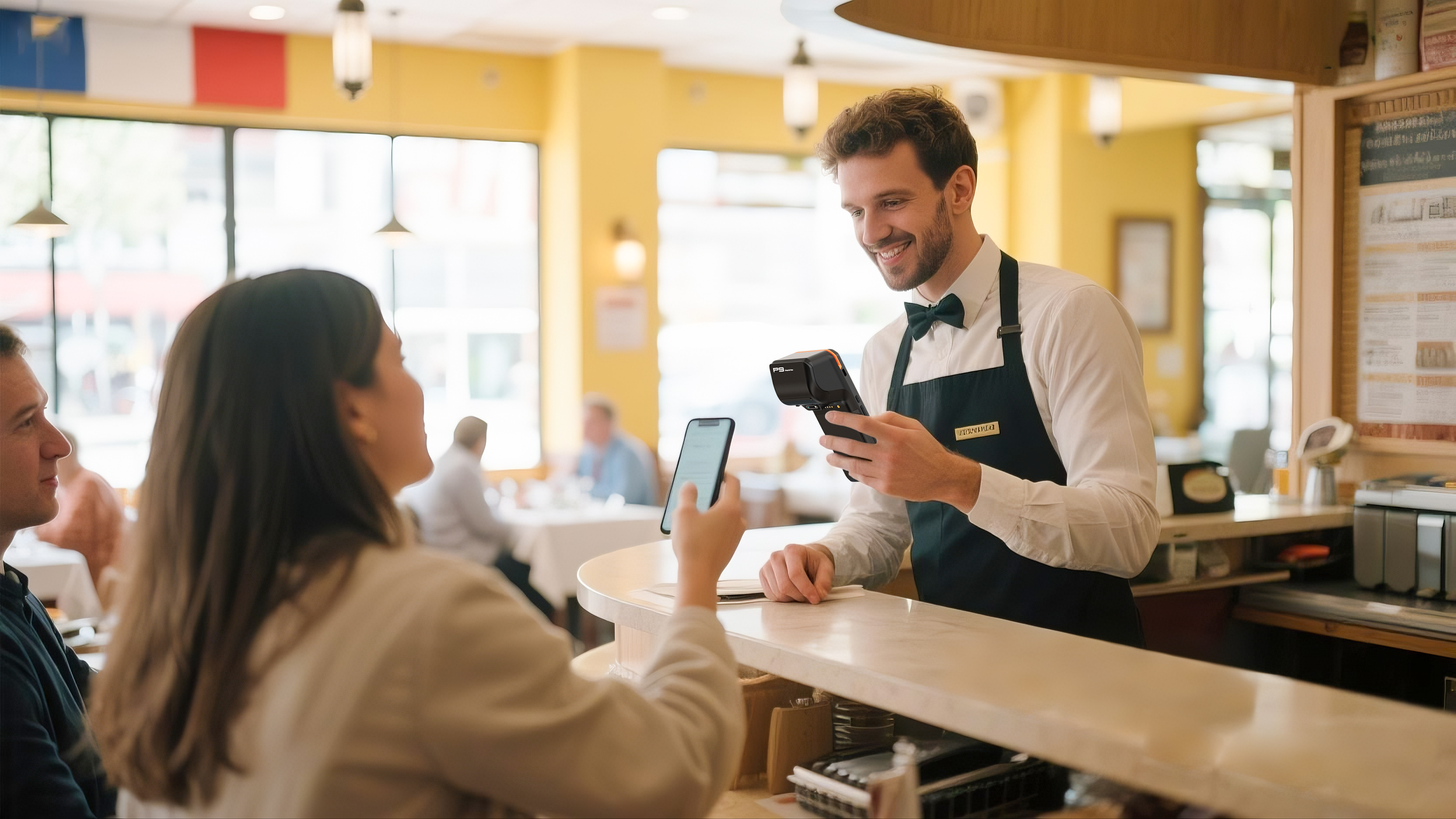
The distinction matters in evaluation: a Self-Ordering Kiosk is not a substitute for a KDS, and a handheld Payment Terminal is not automatically an order-management system. Map each system to its user and transaction step, then verify that the software passes the required order and payment information between them.
Transit: distinguish ticket validation from mobile fare collection
Transit projects should separate passenger credential checking from staff-led mobile ticketing. A Ticket Validator is selected around the ticket or payment media it must read, its mounting location and the validation system. A Handheld Ticketing POS is relevant when a conductor or inspector needs a mobile device for fare collection, ticket inspection or receipt printing. These devices may support related media but have different physical and operational roles.
Telpo’s T10 and T20 are listed as Ticket Validators. In supplied case material, the T10 supports contactless card formats, EMV contactless, QR codes, e-wallets and traditional paper-ticket validation; the described device is rated IK07 and IP54. The supplied T20 transit case describes NFC, QR and EMV payment, GPS, 4G and Wi-Fi, with IP65 and IK08 ratings and a quick-release pole mount. These are model-specific facts. A buyer should not transfer the T20’s enclosure ratings or mounting detail to the T10, or assume that every fare media type is supported by every configuration.
Evidence from the supplied deployments adds context without replacing project validation. Telpo’s case material reports more than 2,000 T10 units in digital public-transport ticketing over more than three years, and more than 1,000 T20 units in a public-transit application. The reported T10 use covers multiple ticket formats; the T20 case describes a transit installation in Argentina. These are company-provided case details, not a guarantee of results in a different network, vehicle or fare system.
The M1 is listed as a Handheld Ticketing POS. A supplied public-transport case describes M1 use for bus fare collection and mobile ticketing, and reports NFC contactless payment, QR scanning and mobile-wallet support. Handheld devices suit a different installation question from a mounted validator: the procurement team needs to decide who carries the device, how it is powered and connected during a shift, and whether the task is inspection, fare collection or both. The available material does not establish that M1 replaces a fixed validator in every transit architecture.
For mobile staff checkout beyond transit, the P9 example at the 2026 Singapore Grand Prix illustrates another boundary. The supplied case describes mobile ordering, contactless and QR payments, receipt printing and 4G/Wi-Fi connectivity for food, beverage and retail merchants. It is a mobile merchant checkout example—not evidence that the P9 validates transit tickets. In a POS for ticketing and events project, clarify whether “ticketing” means event admission validation, fare collection or merchant sales; each can call for a different workflow and device role.
Use the four segments as a selection lens
The four segments help organize requirements, but they should not be read as a claim that one terminal covers every function.
- Smart Retail: focus on cashier-operated checkout, self-service, item identification, customer displays and store peripherals. Match K10 or a self-checkout configuration to the actual customer and merchandise flow.
- Smart Payment: focus on the payment role, payment methods, receipt needs and whether the terminal is fixed or handheld. Telpo’s supplied P9 scenarios include mobile payment functions; particular features depend on model variant and optional equipment.
- Smart Transportation: focus on media validation, fare collection, mounting or handheld operation, connectivity and system integration. T10, T20 and M1 are listed for distinct validator or handheld roles.
- Biometric Security: consider biometrics only where identity verification is part of the defined transaction or service. The supplied material lists optional face-recognition equipment for certain self-checkout configurations and an optional fingerprint scanner for TPS900. It does not establish biometrics as a default requirement for retail checkout, restaurant ordering or transit validation.
This segmentation is useful for cross-functional review: store operations can define the customer checkout, restaurant teams can define order-to-kitchen routing, transit operators can define fare media and mounting, and payment or security teams can specify payment and identity requirements. Each requirement should be tied to the device and configuration that will perform it.
A practical fit checklist before specifying a POS terminal
A short workflow review can expose mismatches before model selection becomes a hardware-only exercise:
- Name the user and transaction step. Record whether the operator is a shopper, cashier, server, kitchen worker, conductor or inspector, and whether the device is ordering, checkout, payment, routing or validation equipment.
- List required inputs and outputs. Specify item codes, ticket formats, payment methods, receipts, customer displays, kitchen orders, scales or other peripherals. Mark optional modules separately from standard equipment.
- Describe the installation. State fixed-counter, kiosk, floor-stand, pole-mounted or handheld use, plus power, connectivity and shift conditions. Use model-specific requirements rather than assuming a shared configuration.
- Confirm system interfaces. Check the relevant POS, PMS, F&B, fare or ticketing system, including data flow and exception handling. A listed API, synchronization function or peripheral port does not by itself prove compatibility with a buyer’s software.
- Define acceptance using the real workflow. Test representative products, payment or ticket media, printed output and network conditions with the intended configuration. Set acceptance criteria from the project’s own operational needs; the supplied material does not define universal thresholds.
Telpo’s portfolio spans countertop POS, kiosks, handheld terminals and ticket validators, but portfolio breadth is not evidence that every device can perform every role. A scenario-led specification makes the relevant boundaries visible: self-ordering is distinct from kitchen display, merchant payment is distinct from ticket validation, and optional biometric or payment modules must be confirmed in the selected configuration.
Frequently asked questions
How does a self-ordering kiosk differ from a self-checkout kiosk?
A self-ordering kiosk supports customer order entry, as illustrated by Telpo’s K20 restaurant application. A self-checkout kiosk is centered on customers identifying goods and completing retail checkout; the supplied C9 and C50 scenarios describe self-checkout functions. Specific payment, scanning, weighing and software features depend on the model and configuration.
Does a restaurant POS terminal include a KDS?
Not necessarily. The supplied full-service restaurant scenario lists a KDS as optional matched equipment, and Telpo’s product list identifies the C9 VESA as a KDS. Confirm whether kitchen display hardware and software are included and verify the required order-routing interface for the deployment.
When should a transit project use a ticket validator rather than a handheld ticketing POS?
A ticket validator is the listed device type for checking tickets or payment credentials at a validation point. A handheld ticketing POS is relevant to staff-led mobile fare collection or inspection workflows. The choice depends on the operating location, staff role, ticket media and system design; the two categories should not be assumed to be interchangeable.
Are biometric functions standard on these POS devices?
No universal biometric configuration is established by the supplied information. Face recognition is listed as optional in certain self-checkout scenarios, and a fingerprint scanner is optional on the TPS900. Buyers should specify whether identity verification is required and confirm the exact device, module and application support.
¿Tiene preguntas o necesita más detalles?
Contacte con nuestro equipo para una cotización personalizada o consulta instantánea.
Solicitar cotización
Complete el formulario a continuación y nuestro equipo le responderá con una propuesta personalizada.
Chat directo de WhatsApp
¿Prefiere chatear en tiempo real? Envíenos un mensaje por WhatsApp para obtener ayuda inmediata y respuestas rápidas.
- Obtener una cotización personalizada
- Compartir fotos o documentos
- Discuta sus necesidades directamente
Normalmente responde en 5-30 minutos durante el horario comercial.