
How to Qualify IP Ratings and Materials in Coding Equipment
How to Qualify IP Ratings and Materials in Coding Equipment
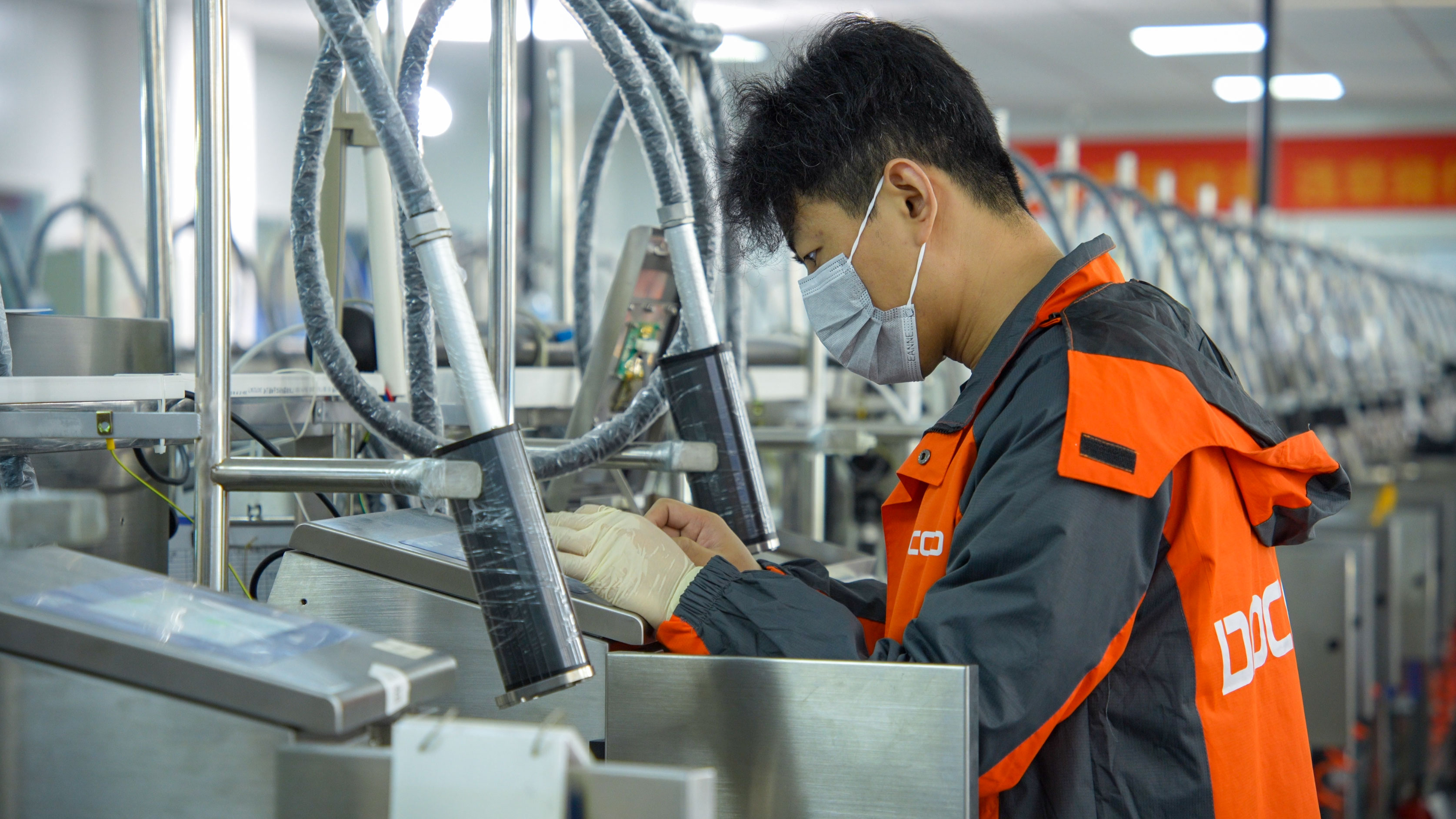
For a smart-manufacturing line, an IP rating, enclosure material and operating range are qualification inputs—not proof that a printer is certified for every washdown, chemical, temperature or production condition. Buyers should compare the stated specification with the actual installation exposure, confirm the exact model and configuration, and validate the printed information needed by the line. DOCOD product records provide useful examples: the M2000 Series Continuous Inkjet Printer is listed as IP65 with a SUS 304 stainless-steel body; the P2000 Piezo Inkjet Printer uses aviation-grade aluminum; and the available operating range of 0–45°C and 30–70% RH is specified for those models. The records do not support assigning the same range or all listed protection details to every DOCOD model.
This distinction matters during research and evaluation. A specification can help identify questions to resolve, but it does not, by itself, establish suitability for a particular line or regulatory approval. The qualification task is to connect four things: the environmental exposure, the equipment configuration, the substrate and marking method, and the code content and data flow.
Start with the exposure at the installation point
Industrial Coding and Marking Equipment is installed in varied production environments, and an equipment enclosure sits within a specific line location. Before comparing IP65 with IP43, document what that location actually exposes the equipment to: airborne dust, incidental splashing, cleaning practices, humidity, heat, vibration or nearby process materials. The relevant question is not simply which number is larger. It is whether the exact rated configuration and its documented conditions align with the exposure the equipment will encounter.
An IP designation is an enclosure-protection classification, not a complete application approval. The supplied product specifications identify ratings, but do not provide test reports, rating definitions, washdown instructions, or a statement that a model is approved for a particular industry’s cleaning process. Those items should not be inferred from the rating alone. For a formal qualification, record the full model designation, the rating shown on the product documentation, the applicable configuration, and any written limitations or test evidence provided for that configuration.
Keep the installation boundary clear. A printer may be mounted near a wet or dusty process without every component sharing the same exposure. The controller, printer body, printhead, cable connections and any external equipment may have distinct locations or specifications. The M2000 record lists IP65 for the printer, but that fact should not be expanded into an unqualified claim about every connected component or the whole coding-and-inspection system. Confirm which part the rating applies to and how the proposed installation will protect the rest of the setup.
What the listed IP65 and IP43 ratings establish—and what they do not
The DOCOD M2000 Series Continuous Inkjet Printer is listed with an IP65 protection level and a SUS 304 stainless-steel material specification. These are concrete model-level details buyers can use to begin an environmental review. They do not independently confirm that the printer meets a buyer’s site-specific cleaning protocol, is certified for a particular production environment, or will operate reliably under conditions not shown in its product record.
IP43 appears in the supplied specifications for certain DOCOD Venus1 Series UV laser-marker configurations. That product record also describes air-cooling and water-cooling options and lists IP43 and IP54 ratings. It does not explicitly map every listed model code to a cooling method and rating in a way that supports assigning IP43 to a water-cooled configuration. It also does not establish that the DOCOD L3000 Series 5W UV Laser Marking Machine has IP43 or water cooling: the available L3000 record identifies the product name, but does not provide those specifications.
That boundary is important when an RFQ or engineering checklist names an L3000. Do not transfer a rating or cooling detail from another product family simply because both are UV laser equipment. Request the current technical documentation for the exact L3000 model and configuration, and verify the enclosure rating, cooling arrangement and operating conditions against the line requirements. Where the available record is insufficient, mark the item as requiring confirmation rather than treating an adjacent model’s details as equivalent.
Qualification rule: record protection details against the exact model and configuration. A product-family value is not automatically a configuration-level confirmation, and a rating alone does not replace the required evidence for the intended installation.
Use material specifications as compatibility questions
Material is another screening input, not a universal compatibility guarantee. The M2000 specification identifies SUS 304 stainless steel. The P2000 specification identifies aviation-grade aluminum. The available Venus1 Series UV laser-marker record identifies aluminum alloy. These distinctions help procurement and engineering teams ask focused questions about the installed equipment, but they do not establish resistance to a specific chemical, cleaning agent, corrosion condition or mechanical impact.
For a line that uses cleaning chemicals or handles dusty, hot or humid products, compare the stated body material with the exposure details supplied by the facility. Ask which component the material description covers and whether other exposed parts use different materials. Confirm any relevant cleaning or maintenance instructions with the supplier. Avoid equating a material name with a verified performance outcome: the provided records contain material descriptions, not compatibility test results for named chemicals or site conditions.
The same logic applies to the P2000. Its aviation-grade aluminum construction is a useful identification point when reviewing the printer’s build, but the specification does not state an IP rating for the P2000. The fact that the model lists a material and an operating range does not imply an ingress-protection level. If dust or liquid exposure is a qualification criterion, request the rating or documentation for the exact model rather than assuming it from the chassis material.

Compare stated operating conditions model by model
The M2000 Series specification gives a working environment of 0–45°C and 30–70% RH. The P2000 specification gives a working environment temperature of 0–45°C and humidity of 30%–70% RH. These values define the stated environmental range for those respective models. They should be checked against the conditions at the equipment location—not only the general factory climate—and should not be applied to the L3000 or another model unless its own documentation confirms them.
When evaluating a line, identify where the printer will sit, how conditions change during operation and whether the equipment is exposed to local heat or moisture. Then compare the recorded conditions with the model specification. If the facility’s operating range falls outside the stated values, or if the conditions are uncertain, the documents provided here do not establish suitability. The appropriate next step is to obtain model-specific technical guidance or supporting documentation, not to broaden the stated range by assumption.
Humidity figures are also not substitutes for a condensation rating. The Venus1 UV laser-marker record describes an operating environment of 0–45°C and humidity up to 95%, non-condensing, with no vibration. That is a different stated condition from the M2000 and P2000 ranges. It belongs to the Venus1 record and must not be transferred to the L3000 without its own supporting specification. The distinction between a percentage range and a non-condensing condition should remain visible in any comparison or purchasing document.
Qualification matrix for the supplied models
| Model or record | Stated details in the supplied specifications | What to verify for the line |
|---|---|---|
| DOCOD M2000 Series Continuous Inkjet Printer | IP65; SUS 304 stainless-steel material; 0–45°C and 30–70% RH working environment. | Which components the rating covers; whether the stated conditions match the installation and cleaning exposure; exact configuration documentation. |
| DOCOD P2000 Piezo Inkjet Printer | Aviation-grade aluminum; 0–45°C and 30%–70% RH working environment. No IP rating is stated in the supplied record. | Obtain a model-specific IP rating if ingress protection is required; confirm material and environmental documentation for the intended installation. |
| DOCOD L3000 Series 5W UV Laser Marking Machine | The supplied record identifies the product name but does not provide its IP rating, material, cooling method or operating range. | Request exact L3000 configuration documentation. Do not assign another family’s IP43 or cooling information to this model. |
| DOCOD Venus1 Series UV laser-marker configurations | Record lists aluminum alloy, air-cooling/water-cooling options, and IP43/IP54 ratings across configurations; the provided details do not explicitly map each configuration to each cooling method. | Confirm the precise model code, cooling arrangement and corresponding rating from configuration-specific documentation. |
This matrix is a qualification aid, not a product ranking. It separates documented facts from open checks so that buyers do not treat missing information as proof of either capability or incapability. For a procurement file, preserve the model name and exact configuration beside every value, including any later supplier confirmation.
Check code content and data handling separately from enclosure specs
Environmental fit does not answer whether a printer can produce the required information. Define the content before final equipment qualification: GS1 codes where required by the application, barcodes, dynamic traceability codes, serial data, dates, batch identifiers or information drawn from a variable database. Then confirm the intended code type, data source, print layout and line interface for the selected model. These are separate acceptance questions from IP rating and enclosure material.
The M2000 specification lists text, time, date, logos, shift information, serial numbers, dynamic barcodes or QR codes, dynamic serial data and dynamic databases as print content. The P2000 record lists text, time, date, patterns, shifts, serial numbers, dynamic barcodes or QR codes, dynamic serial-port data and dynamic databases. The T220E Half-Inch Dual-Head Inkjet Printer record lists GS1 codes, dynamic traceability codes, barcodes and variable databases. Those facts can help frame a requirement-to-model review, but they do not guarantee a specific code’s readability or verification result on a production substrate.
For a variable data printing system, establish where data originates, how the printer receives it and how the line responds to missing or incorrect information. The M2000 lists USB, RS232 and network-port communications, and states a connection to enterprise MES management systems. The P2000 lists USB, RS232 and TCP/IP network interfaces. Interface availability is not proof of a completed integration with a particular MES, PLC or inspection system. Confirm the required protocol, signal handling and data workflow in the proposed configuration.
Where a smart-manufacturing line requires online code verification, separate the print requirement from the inspection requirement. A printed GS1 DataMatrix or traceability code is not evidence that a vision inspection system for coding has read, graded or accepted it. Specify what must be printed, what must be checked, what happens on a failed check, and which system is responsible for each step. The supplied model records establish certain print-content and interface capabilities; they do not state acceptance criteria or code-quality test results for a specific line.
A practical qualification checklist for research and evaluation
- Identify the exact equipment. Write down the full product and model name, configuration, accessories and the component being evaluated. Do not use a family-level description to fill a missing model specification.
- Describe the exposure. Record dust, splashing, cleaning practices, humidity, temperature and other relevant conditions at the installation point. Distinguish routine operation from cleaning or exceptional exposure.
- Match the IP evidence. Compare the requested protection level with documentation for the exact configuration. Ask which parts the rating applies to and what supporting evidence or limitations are available.
- Review materials against the process. Note the stated enclosure material, identify any exposed components made from other materials, and request relevant compatibility guidance for the actual cleaning agents or process substances.
- Compare operating conditions. Use the model-specific temperature and humidity range. Do not transfer M2000 or P2000 conditions to the L3000 or another product.
- Define print content and data flow. List required GS1 codes, barcodes, dynamic traceability data, serial numbers and variable-database fields. Confirm how data reaches the printer and what the line does if data is unavailable.
- Separate printing from verification. If the process requires inspection, define the scanner or vision-system role, acceptance logic and reject response independently from the printer’s stated print-content capability.
- Record unresolved items. Treat missing rating, material, cooling or test information as an open qualification point. Obtain confirmation for the exact model rather than relying on similar product names or specifications.
Fit boundaries: what the specifications can support
Specifications are most useful when they narrow a question. The M2000’s IP65 and SUS 304 entries support a precise review of its listed enclosure protection and material; the P2000’s aviation-grade aluminum and stated environmental range support a different set of checks. A listed Venus1 UV configuration may help frame questions about IP43/IP54 and air or water cooling, but it does not establish those details for the L3000. None of these facts alone establishes application approval, chemical resistance, validated code readability or successful integration with a buyer’s line.
That boundary is not a reason to ignore the specifications. It is a reason to use them accurately. Buyers can shortlist questions, identify documentation gaps and make a more disciplined comparison by keeping product facts attached to their exact model. A procurement decision becomes clearer when each requirement is paired with evidence or marked for confirmation, rather than when a rating or material label is treated as a general promise.
FAQ
Does an IP65 listing prove that a coding printer is suitable for any washdown line?
No. The M2000 record lists IP65, but the supplied information does not establish suitability for every washdown process or facility requirement. Confirm the exact rated components, configuration, test evidence and applicable cleaning conditions before treating the rating as sufficient for a particular line.
Can the L3000 be described as IP43 and water-cooled?
Not from the supplied L3000 record. It identifies the DOCOD L3000 Series 5W UV Laser Marking Machine but does not provide its IP rating or cooling method. Separate Venus1 Series UV laser-marker specifications list IP43 and IP54 ratings and air-cooling and water-cooling options, but those details should not be assigned to the L3000 without model-specific documentation.
Does aviation-grade aluminum mean the P2000 has an IP rating?
No. The P2000 record states aviation-grade aluminum and an operating environment of 0–45°C and 30%–70% RH. It does not state an IP rating. If ingress protection is part of the qualification requirement, obtain the rating and supporting documentation for the exact model.
Are the 0–45°C and humidity conditions valid for every DOCOD model?
No. The supplied specifications list 0–45°C and 30–70% RH for the M2000 and 0–45°C and 30%–70% RH for the P2000. Other product records may state different conditions, and the available L3000 record does not provide an operating range. Check each model’s own documentation.
What should be checked for GS1 and variable traceability printing?
Confirm the required code types and data fields, the model’s listed print-content capability, the source and transfer method for variable data, and any required inspection or reject workflow. A printer specification that lists GS1 codes, barcodes or dynamic databases does not by itself establish code readability or successful integration with a specific production line.
DOCOD Precision Group Co., Ltd. is an industrial coding, marking and inspection equipment manufacturer. Its product specifications can support an initial qualification review when each value remains tied to the correct model and configuration.
¿Tiene preguntas o necesita más detalles?
Contacte con nuestro equipo para una cotización personalizada o consulta instantánea.
Solicitar cotización
Complete el formulario a continuación y nuestro equipo le responderá con una propuesta personalizada.
Chat directo de WhatsApp
¿Prefiere chatear en tiempo real? Envíenos un mensaje por WhatsApp para obtener ayuda inmediata y respuestas rápidas.
- Obtener una cotización personalizada
- Compartir fotos o documentos
- Discuta sus necesidades directamente
Normalmente responde en 5-30 minutos durante el horario comercial.