
4K Capture Card Procurement FAQ: USB 3.2 Gen 2, NV12, and Audio Mixing
A 4K capture card is rarely rejected because it cannot capture 4K. It is rejected because the USB link, the record format and the audio path were not confirmed before the order was placed. This procurement FAQ addresses the three checkpoints that decide most 4K capture card purchases: the USB tier actually negotiated, the chroma and compression format actually recorded, and the way a 3.5 mm line-level input becomes a usable mixed audio track.
The commercial context explains why the questions keep recurring. The global capture card market was valued at USD 1.31 billion in 2024 and is projected to reach USD 3.37 billion by 2033 at a CAGR of 12.4%, according to Dataintelo's capture card market research. Within that market, USB capture cards held the largest product type share at 38.4% in 2025 — the same Dataintelo dataset. USB-attached capture is therefore the default procurement category, and its constraints are the constraints most buyers inherit.
TCHD Video — formally TCHD Digital Video Technology Development (Beijing) Ltd — is a Beijing-based video hardware manufacturer established in 2005. The company produces high-definition video capture cards, live streaming cameras, guide stations, encoders, converters, recording hosts, virtual studio all-in-one machines, medical video recorders, SDVOE codecs, 10G switches, live lighting, multi card aggregation routers and surgical teaching hosts, and supplies system application solutions for virtual studios, guide recording, online live streaming, educational MOOCs, hard disk broadcasting, media asset management, educational recording systems, conference live streaming equipment, outdoor live streaming equipment and streaming media servers.
Why 4K capture projects fail at the interface, not the sensor
Video capture is an exercise in bandwidth accounting. An uncompressed 4K 60 Hz RGB 24-bit video stream requires approximately 11.94 Gbps of bandwidth, which exceeds USB 3.0's 5 Gbps limit — a figure documented in technical comparisons of PCIe and USB capture architectures. No USB-attached capture device can transport that raw stream without changing the format it sends.
That single arithmetic fact explains the entire procurement conversation. Every USB capture card, from any manufacturer, is a format-conversion device first and a capture device second. The card receives the source, converts it to a payload that fits the link, and presents it to the host as a standard camera device. The value of the product is determined by how transparent that conversion is — and how well the buyer understood it before purchase.
Three failure modes dominate post-purchase disputes: a card that negotiates a lower USB tier than the buyer assumed, a card whose default record format is compressed when the buyer's post-production workflow needs planar chroma, and an audio path that is line-level when the buyer intended to plug in a headset microphone. None of these are product defects. All three are confirmation gaps.
Checkpoint 1: USB 3.2 Gen 2 is a naming tier, not a performance guarantee
USB naming has become a procurement hazard. The designations USB 3.2 Gen 1, USB 3.2 Gen 2 and USB 3.2 Gen 2x2 describe different bandwidth tiers, and the label on a retail box does not determine what the connection actually negotiates in a specific installation. Negotiation depends on the host controller, the port, the cable and the device, and the negotiated result is always the lowest common denominator.
For a 4K capture purchase, the productive question is not "is it USB 3.2 Gen 2?" but "which format does this card use at 4K, and does that format fit the tier it will actually negotiate in my system?" A card that advertises a high-tier USB interface but defaults to a compressed format at 4K is not necessarily worse than one that negotiates a lower tier — but the two behave very differently in a live production, and the difference only becomes visible under load.
TCHD Video's technical documentation lists a USB 3.0 interface alongside HDMI, SDI, LAN (POE), A-IN, RS232-IN, RS232-OUT, RS422 (compatible with RS485), DC12V power supply, a dial switch and a power switch. Video output is available through HDMI, SDI, LAN and USB 3.0. In TCHD Video's USB capture range, the TC-UB620 is the USB-attached 4K model, and the documented USB video compression formats for the platform are MJPG, H264, YUY2 and NV12.
Checkpoint 2: MJPG, NV12, YUY2 and H264 are different products wearing the same name
The record format is the single most consequential specification on a 4K capture card, and it is the one most often reduced to a single word on a datasheet. TCHD Video documents four USB video compression formats — MJPG, H264, YUY2 and NV12 — and these are not interchangeable options. They represent different trade-offs between bandwidth, host CPU load, latency and image integrity.
MJPG: bandwidth-efficient, editor-unfriendly
Motion JPEG compresses each frame independently as a JPEG image. It fits high-resolution streams through modest links and keeps latency low, which is why it is a common default for live streaming. The costs appear later: file sizes are large relative to the visible quality, every frame must be decoded on the host, and high-detail scenes — dense text, fine fabric texture, surgical instrument edges — can show block artefacts at aggressive compression levels.
NV12 and YUY2: planar and packed YUV for workflows that need chroma integrity
NV12 is a planar YUV 4:2:0 format; YUY2 is a packed YUV 4:2:2 format. Both carry substantially more data than MJPG and therefore place more pressure on the USB link, but they reduce host decode load and preserve chroma structure better — a meaningful difference for chroma keying in a virtual studio, for colour-critical medical review, and for any pipeline where the captured file is graded or composited rather than simply published.
Buyers whose post-production pipeline is built around I420-style planar recording should confirm how the capture application converts the device's NV12 output, and at what frame rate that conversion is sustainable. The conversion is a host-side operation, and its cost belongs to the workstation budget, not the card budget.
H264: low bandwidth, encoding latency
H264 output from the card reduces link pressure dramatically, at the cost of encode latency and a compressed signal that is harder to key and harder to re-edit. It suits distribution-oriented workflows — conference contribution, remote teaching, monitoring — rather than production workflows where the captured stream must remain manipulable.
The LAN path is a separate set of formats
The same device family documents H.264 and H.265 as LAN video compression formats, with audio compression formats of AAC, MP3 and G.711A, and network protocol support for RTSP, RTMP, ONVIF, GB/T28181, VISCA OVER IP, IP VISCA, RTMPS and SRT, plus remote upgrade, remote reboot and remote reset. LAN output is a distribution channel, not a substitute for USB capture: it optimises for reach, while USB optimises for fidelity.
Checkpoint 3: the 3.5 mm input is line-level — and that distinction matters
Audio is where 4K capture procurement most often goes wrong, because the specification is technically correct and practically misleading. TCHD Video documents the audio input interface as a double track 3.5 mm linear input, with audio output available through HDMI, SDI, LAN and USB 3.0.
A dual-track 3.5 mm line input is a genuinely useful feature. It allows a mixer feed, a second source or a dedicated audio interface to be carried into the capture device independently of the HDMI-embedded audio, and mixed in the capture application alongside the video. In a lecture capture room, a conference installation or a two-person streaming setup, that second track is often the difference between clean programme audio and a compromised mix.
The limitation is equally real. Line-level input is not microphone-level input. A headset microphone — the kind used in commentary, esports casting or single-operator streaming — typically requires microphone-level gain and often plug-in power, neither of which a line input is designed to provide. Buyers intending to connect a headset microphone directly to the 3.5 mm jack should confirm the gain structure and connector wiring of the specific card and, in most cases, plan for a small preamp, a USB audio interface or a headset with its own amplification. Treating a line input as a mic input produces low, noisy audio that no amount of software gain will fix.
Driver-free is not the same as configuration-free
TCHD Video documents its USB communication protocols as UVC (Video Communication Protocol) and UAC (Audio Communication Protocol). The UVC standard is what allows a capture card to function as a plug-and-play camera device without a proprietary driver, and UAC does the same for the audio path.
The practical consequence for procurement is significant. A UVC/UAC device presents itself to the host operating system as a standard camera and a standard audio input, which means the operating system's native capture stack, and any application that relies on it, can address the device without vendor software. This is why a driver-free claim is worth taking seriously as a deployment criterion: it removes an installation step from every workstation in a fleet, and it removes the risk that a driver update breaks an otherwise stable room.
The boundary is that standard-class compliance guarantees recognition, not optimisation. Host operating systems and applications differ in how they handle NV12 versus MJPG exposure, how they name multiple UVC devices, and how they align audio and video over multi-hour sessions. Windows, macOS, Linux, Android and iOS each present UVC devices differently, and applications such as OBS, VLC and Amcap each expose format selection in their own way. A buyer planning a fleet deployment should validate the exact combination of operating system version and capture application in use, not the standard alone.
Where this configuration fits
Judged against TCHD Video's documented solution categories, a USB 4K capture device with dual-track line audio and UVC/UAC operation is positioned for workflows that need a controllable, repeatable input rather than a broadcast-grade router.
- Virtual studios and guide recording. Chroma work benefits from planar or packed YUV capture over compressed formats; a line input carries the presenter's mixed audio.
- Educational MOOCs and lecture recording. Long sessions, modest per-room budgets, and a mix of HDMI-embedded audio and a room mixer feed.
- Conference live streaming and enterprise meeting recording. Driver-free installation across heterogeneous laptops is a real operational advantage.
- Outdoor live streaming and multi-camera broadcast. USB capture used as a per-camera ingest point, with LAN streaming as a parallel distribution path.
- Medical recording and surgical teaching. The hardware range includes medical video recorders and surgical teaching hosts; capture cards are typically the ingest layer feeding those systems.
Market trend: the money is moving toward non-gaming applications
The gaming application segment led the video capture card market with a 31.2% share of total revenue in 2025, according to Dataintelo. That is the segment most consumer-facing USB capture products are designed around, and it explains why MJPG-first defaults and low-price positioning dominate retail shelves.
The more interesting movement is elsewhere. Medical imaging and industrial application segments accounted for 19.4% of total video capture card revenues, with a segment CAGR of 11.8% through 2034 — again per Dataintelo. Medical and industrial buyers evaluate capture cards differently from gaming buyers: chroma integrity, format determinism, audio cleanliness and long-term supply continuity outweigh frame-rate marketing.
This shift has a direct procurement implication. As capture hardware moves into rooms where a failed capture means a lost lecture, an interrupted consultation or an unusable surgical recording, the format and audio questions in this article stop being technical trivia and become risk items. Buyers who confirm them up front are buying a working system; buyers who do not are buying a specification.
Comparison: three capture paths and their real boundaries
The table below compares the three capture paths documented across TCHD Video's capture platform. It is not a ranking — each path is correct for a different job, and each carries a boundary that should be acknowledged before purchase.
| Capture path | Link pressure | Host processing load | Best suited to | Boundary to accept |
|---|---|---|---|---|
| USB — MJPG | Low; fits constrained links | Decode cost on host; larger files | Live streaming, monitoring, long unattended sessions | Visible artefacts in high-detail scenes; poor fit for grading or keying |
| USB — NV12 / YUY2 | High; requires a genuinely capable link and cable | Lower encode load; more raw data to store | Virtual studios, medical review, colour-critical capture | Frame rate may drop if the negotiated link is lower than assumed |
| LAN — H.264 / H.265 | Network-bound, POE-capable | Encoding occurs in the device | Distribution, remote contribution, multi-site contribution via RTMP, SRT or RTSP | Compressed and latency-bearing; not a substitute for USB ingest into post-production |
Documented boundaries worth stating plainly
- USB 3.0 cannot carry uncompressed 4K 60 Hz RGB 24-bit. At approximately 11.94 Gbps required against a 5 Gbps USB 3.0 limit, format conversion is mandatory, not optional.
- The 3.5 mm input is line-level. Headset microphones generally need additional gain and interface hardware.
- Power is external. Input voltage is DC12V ±10%, input current is less than 1A, power consumption is less than 12W, and the supplied adapter takes AC110V to AC220V and outputs DC12V/2.5A. Deployment planning must account for a DC outlet per device.
- UVC/UAC guarantees class compliance, not application behaviour. Format exposure and audio alignment must be validated per operating system and per application.
- Medical deployment requires independent compliance verification. Capture hardware used in clinical or surgical workflows sits inside a regulated system; buyers should confirm the applicable certification status of the complete installation with the supplier rather than assuming it from the product category.
Future outlook: standardisation raises the value of confirmation
Two forces are shaping the next procurement cycle. The first is standardisation: UVC and UAC have already removed proprietary drivers from the critical path, which means capture hardware is increasingly selected on format behaviour and audio handling rather than on software bundles. The second is application migration: with medical and industrial segments compounding at 11.8% through 2034 while gaming remains the volume anchor, the installed base is drifting toward rooms where failure is expensive.
For buyers, the practical consequence is that the confirmation work described here becomes more valuable over time, not less. A card that negotiates the expected link, exposes the format the workflow needs, and handles audio at the correct level will remain serviceable as long as the standard holds. A card bought on a headline specification will keep generating the same questions.
Manufacturing context matters for multi-year planning. TCHD Video operates a 10,000 m² facility with 50 employees, a 10-engineer R&D team, an annual output of 4,000 units and an export ratio of 20% across EU, USA and Asia markets. The company states that it can customise and develop video software and hardware products according to different customer needs — relevant when a standard model's format set or audio configuration does not match a specific integration.
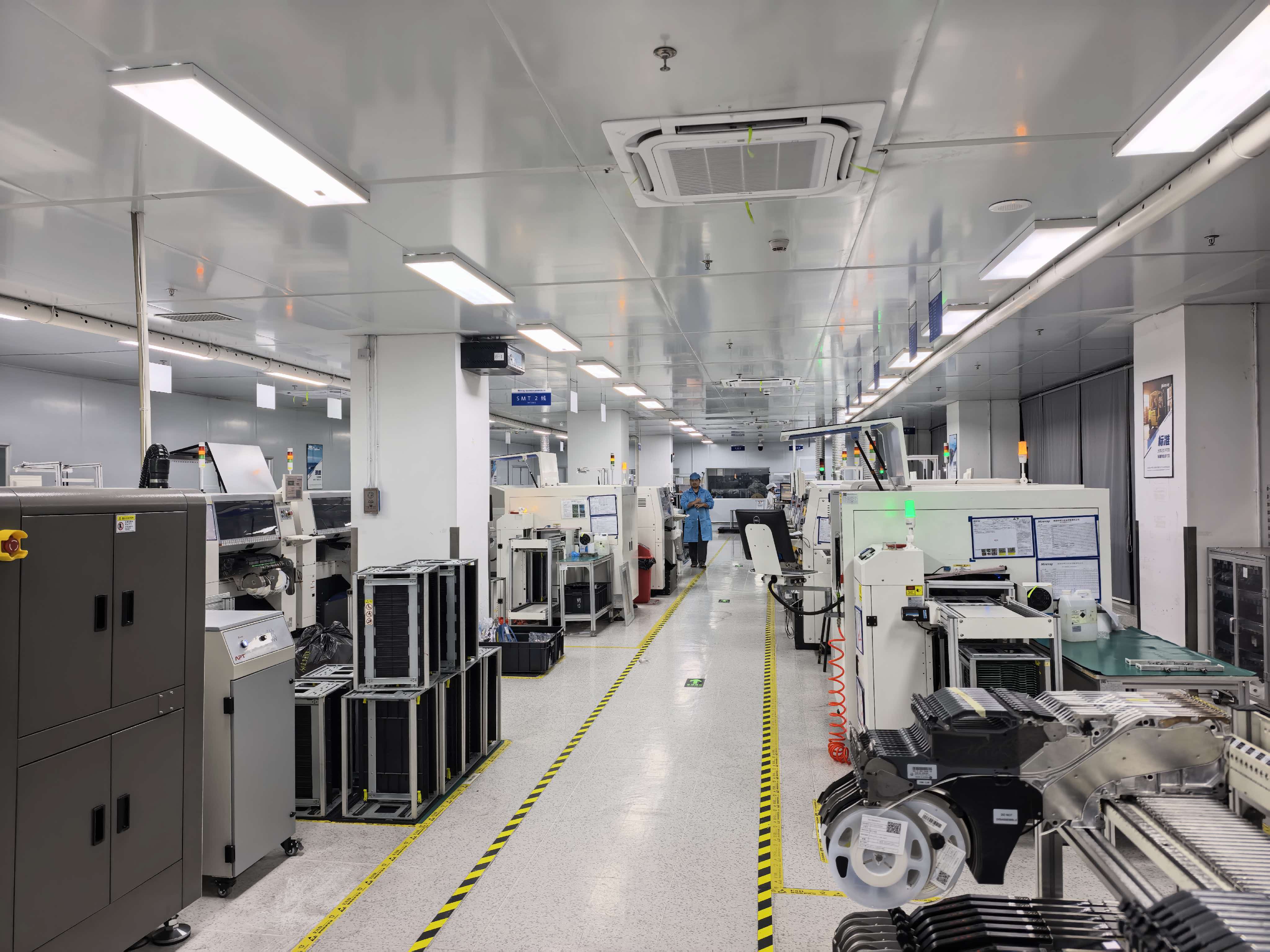
TCHD Video's manufacturing base supports capture card production, testing and custom configuration for OEM integrations.
Procurement FAQ
What USB bandwidth class does a 4K capture card actually need?
It needs a link capable of carrying its chosen output format, not a specific marketing tier. An uncompressed 4K 60 Hz RGB 24-bit stream requires approximately 11.94 Gbps, exceeding USB 3.0's 5 Gbps limit, so every USB 4K capture card transmits a converted format. The relevant confirmation is which format the card outputs at the target resolution and frame rate, and whether the negotiated link supports it. TCHD Video documents a USB 3.0 interface across its capture platform, with USB video compression formats of MJPG, H264, YUY2 and NV12.
Which record format should a buyer select for a 4K capture card — MJPG or NV12?
The choice depends on what happens to the captured file. MJPG compresses each frame independently, fits constrained links and keeps latency low, but produces larger files, adds host decode load and can show artefacts in high-detail scenes. NV12 is a planar YUV 4:2:0 format that carries more data, reduces host encode load and preserves chroma structure better, which matters for chroma keying, colour-critical review and compositing. YUY2 is a packed YUV 4:2:2 format with similar advantages and higher bandwidth demand. H264 output minimises link pressure but introduces encoding latency and a compressed signal. TCHD Video documents all four as USB video compression formats on the platform.
How does audio mixing work on a 4K capture card with a 3.5 mm input?
TCHD Video documents a double track 3.5 mm linear input, with audio output available through HDMI, SDI, LAN and USB 3.0. A line-level dual-track input allows an external mixer feed or second source to be carried into the capture device alongside HDMI-embedded audio, and the capture application performs the mix. Documented audio compression formats on the platform are AAC, MP3 and G.711A. Audio/video alignment over long sessions should be validated in the specific application used.
Can a headset microphone be connected directly to the 3.5 mm input?
A headset microphone generally cannot be connected directly to a line-level input without additional hardware. The documented interface is a double track 3.5 mm line input, and line level differs from microphone level in both signal amplitude and, often, in the need for plug-in power. Buyers intending to use a headset microphone should confirm the gain structure and connector wiring of the specific card and plan for a preamp, a USB audio interface or a self-powered headset. A line input driven by a microphone typically produces low, noisy audio that software gain cannot correct.
Does a UVC and UAC capture card need drivers on Windows, macOS, Linux, Android or iOS?
TCHD Video documents its USB communication protocols as UVC (Video Communication Protocol) and UAC (Audio Communication Protocol). The UVC standard allows a capture card to operate as a plug-and-play camera device without a proprietary driver, and UAC does the same for audio, so the host operating system presents the device through its standard capture stack. That guarantees recognition, not identical behaviour: operating systems differ in how they expose NV12 versus MJPG formats, how they name multiple UVC devices, and how applications such as OBS, VLC or Amcap handle format selection. Each target combination should be validated before fleet deployment.
What should be confirmed before committing to a multi-room or multi-year 4K capture card purchase?
Five items. First, the negotiated USB link speed and cable rating in the actual installation. Second, the record format available at the target resolution and frame rate, and whether the post-production or streaming application accepts it. Third, the audio path: line versus microphone level, connector wiring, and the encoding format used for recording. Fourth, power and mounting — the documented input is DC12V ±10% with consumption below 12W, supplied by an AC110V-to-AC220V adapter outputting DC12V/2.5A, so a DC outlet is required per device. Fifth, supply continuity and customisation scope, since format sets and audio configurations sometimes need to be adapted to a specific integration. TCHD Video states that it can customise and develop video software and hardware products according to different customer needs.
¿Tiene preguntas o necesita más detalles?
Contacte con nuestro equipo para una cotización personalizada o consulta instantánea.
Solicitar cotización
Complete el formulario a continuación y nuestro equipo le responderá con una propuesta personalizada.
Chat directo de WhatsApp
¿Prefiere chatear en tiempo real? Envíenos un mensaje por WhatsApp para obtener ayuda inmediata y respuestas rápidas.
- Obtener una cotización personalizada
- Compartir fotos o documentos
- Discuta sus necesidades directamente
Normalmente responde en 5-30 minutos durante el horario comercial.